



What the cleaning experience is like and how clean our teeth felt after brushing.
How well it cleans Score SummaryWhat the brush is like in-hand; how grippy it is, what the balance is like, how easy it is to remove brush heads.
How it feels Score SummaryDoes the brush have our recommended features of a timer, pacer & pressure sensor and how well do they perform?
Recommended features Score SummaryHow long does the battery last, how long does it take to charge and does the brush have a battery level indicator?
Battery performance Score SummaryApplies to smart toothbrushes only. How well does the smart technology work and how useful is the app?
Smart features Score SummaryWhat are the total ownership costs over the space of several years and how expensive are replacement brush heads?
Price Score SummaryHow easy is it to clean the brush, how noisy is it, does it come with a travel case or any other useful items?
Additional items & features Score SummaryHow long is the warranty, what is the manufacturer's reputation and how strong are its environmental efforts?
Support & reputation Score SummaryDoes the brush have Bluetooth and real-time tracking?
Bluetooth connectivity Score SummaryHow many zones are used for real-time tracking?
Real time tracking Score SummaryDoes the brush provide feedback on tracking via the app, the brush or both?
Tracking feedback Score SummaryHow much can the features and settings be customised?
App features & customisation Score SummaryWhat's the overall experience of the smart features, all things considered?
Overall user experience Score SummaryOur verdict


The Sonicare Series 6500 is a nicely put together brush that will clean your teeth very well. It’s pleasant to use and has great battery life.
It has Bluetooth connectivity, but it’s not a fully fledged smart toothbrush. It offers 9 different cleaning configurations, which is more than anyone truly needs.
The downside of these additions is that they push the price up without adding justifiable benefit.
You can get the main benefits of the 6500 by opting for one of the cheaper brushes in the range — the 5300, 5500 or 6100. Unless there is a strong offer running on the 6500, we advise going for one of the others.
And should you particularly want a smart/Bluetooth enabled brush consider the DiamondClean Smart 9400 or Prestige 9900.
Pros |
Cons |
|---|---|

Excellent battery life |

Limited Bluetooth functionality |
|
Nice design |
How well it cleans
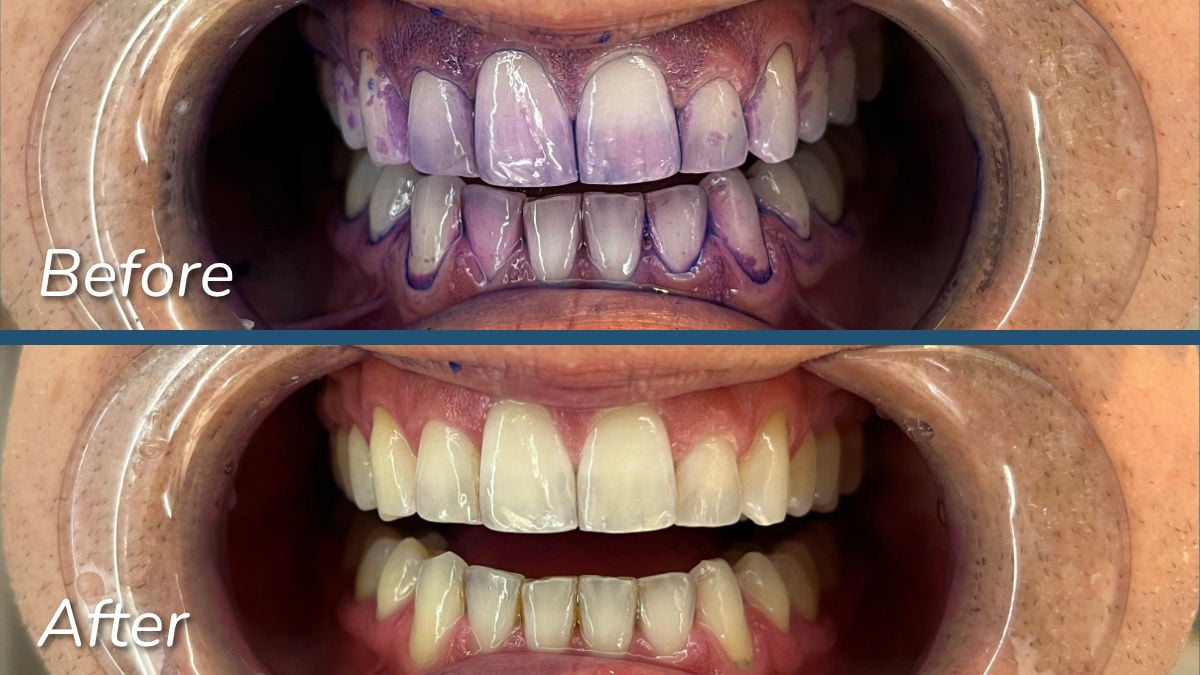
The Series 6500 scores top marks in this category. Provided you use it with the correct technique, it will clean your teeth superbly.
I’ve included before and after photos of my disclosing tests below, which show that it removed nearly all of the plaque from my teeth.
The 9 cleaning configurations are overkill
The 6500 comes with three cleaning modes — standard, sensitive and whitening.
You then have three intensities available for each cleaning mode, thus giving the option of nine configurations in total.
Realistically, this is far more than is necessary for a good oral hygiene routine. Having one cleaning mode is enough for most people. Having a sensitive mode is often useful, but whitening mode is a bit of a gimmick.
To then have 3 intensities for each one of these modes is overkill in my opinion.
If you do suffer from sensitivity, having a range of intensities to choose from is arguably worth paying for. In that respect, the cheaper Series 6100 is worth considering. It has standard and sensitive modes and 6 configurations in total.
With the 6500, whitening mode and its three intensities get added on. They’re not worth paying extra money for in my opinion.
The new motor technology isn’t very noticeable
The Series 6500 and the other brushes released in Sonicare’s late 2024 range include "next generation" sonic technology, which is designed to maintain consistent power even in confined areas of the mouth. The idea is that when you apply pressure against your cheeks while brushing the molars, the bristle movement remains steady.
I didn't notice a significant difference compared to previous Sonicare models—perhaps a slight improvement, but this could have been psychological since I knew about the feature. The clean definitely felt consistent and powerful throughout, with the brush delivering 62,000 movements per minute.
If you've experienced motor slowdown with older electric toothbrushes, you might notice this new technology more than I did.
How it feels
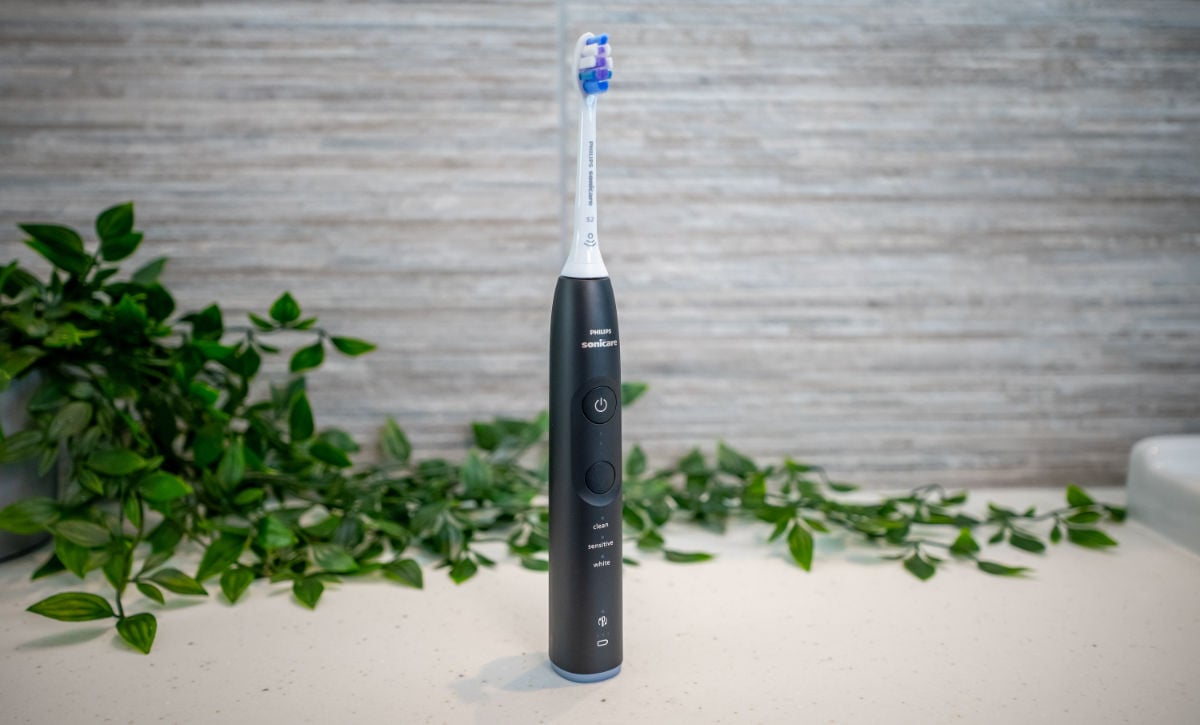
Taking design cues from Sonicare's premium Prestige 9900 model, the Series 6500 features a comfortable, solid handle with a matte finish that uses materials with a distinctly high-end feel. It's a pleasure to hold and use.
The handle is large but well-balanced
The Series 6500 and the other handles introduced with this new range are a bit bigger than other Sonicare models such as the 1100 and 3100 Series, giving them a nice weight in the hand. For comparison, the 4100 Series is about 30-40% smaller and noticeably slimmer.
This could be a good thing or a bad thing depending on your situation. If you have dexterity issues, a brush with a lighter and slimmer design might be more comfortable to hold than a heavier toothbrush.
On the other hand, if you find it difficult to grip objects, a larger handle like that of the Series 6500 might benefit you.
I don’t have any such issues and I found the 6500 perfectly comfortable despite its larger size. It’s bigger than the Sonicare 9900 Prestige, but I can still see where inspiration has been taken from its design.
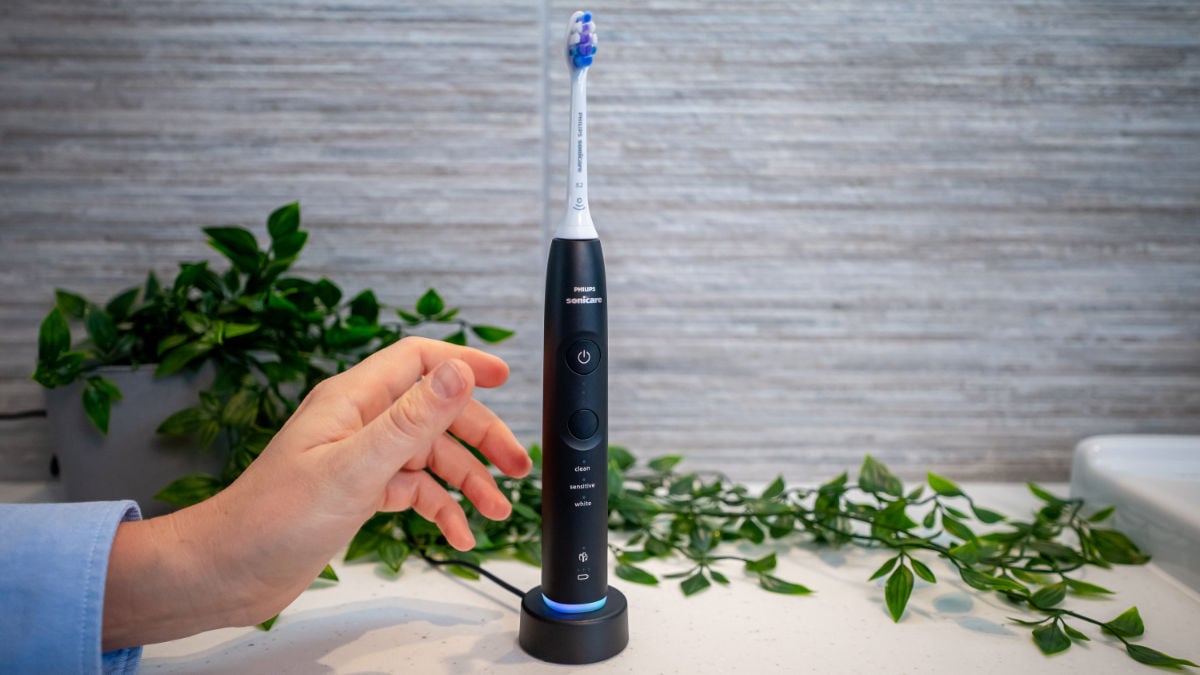
The buttons are easy to press
In a departure from other recent designs, this new Sonicare range has physical buttons. In the case of the 6500, it has a power button and a mode change button. When the brush is off, you use the bottom button to switch modes. When it's on, the same button changes intensity levels.
There are LEDs to show the mode and intensity that have been selected.
The buttons are easy to press, which is another consideration if you have any pain in your joints. In that respect, I would say the physical buttons are an improvement on other models like the Prestige 9900, which has a seamless button design that is firmer to press.
One potential downside of the physical button is the gap between it and the handle, which could be a spot for grime to build up. From my testing so far this doesn’t seem to be a problem, but it was the reason that Sonicare introduced a seamless button design previously.
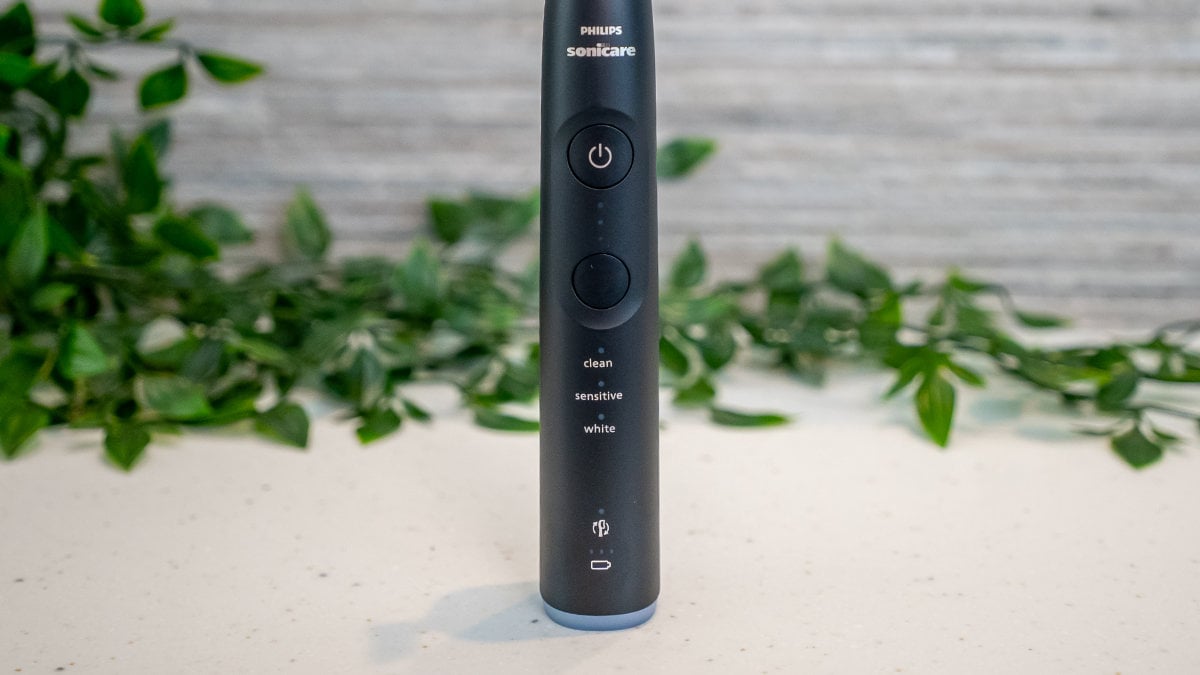
Regardless, I recommend rinsing your toothbrush under the tap after each use to remove toothpaste residue. This is an easy way to prolong the life of a brush (and to keep it hygeinic!).
Like many electric toothbrushes, the Series 6500 has a concave design to the power button. This helps your finger to find the buttons easily and is particularly helpful for the visually impaired or if you’re using the toothbrush in the dark.
Recommended features
The 6500 has a strong implementation of our most recommended features: a timer, a pacer and a pressure sensor. The pressure sensor design is particularly impressive, as I’ll elaborate on below.
A variety of pressure sensor alerts
With the Series 6500 you get 3 different types of alert when the brush detects your using too much pressure: audible, visual and tactile. Each is easy to notice, but having a variety means there is less chance of missing it if an impairment makes one or two of them less pronounced for you.
When the pressure sensor is activated, there is a noticeable change to the sound of the motor and a vibration runs through the handle. This alert system on its own is good enough — it’s what’s included with the 5300 and 5500, but the 6500 goes a step further and includes a visual alert.
If you brush with too much force, a light ring on the bottom of the handle lights up. I found this easy to spot out of the corner of my eye, but it’s even more noticeable if you’re brushing in front of a mirror.
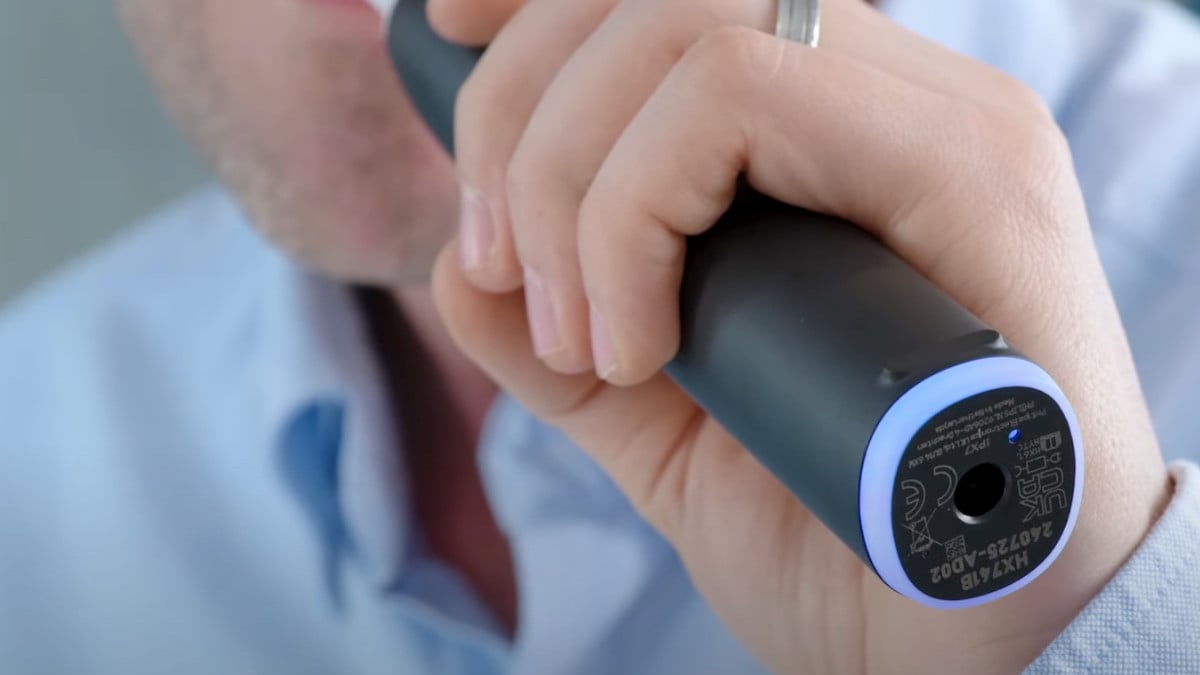
Another nice touch is that you have the option to turn the pressure sensor off. Personally I wouldn’t do this and recommend leaving it on, but the option is there if you want it. The same applies to Sonicare’s EasyStart, which helps ease you into using an electric toothbrush by gradually increasing brushing power over the first 14 sessions.
Auto power off and sextant pacing
Like most Sonicare brushes, the Series 6500 powers off automatically after 2 minutes of brushing. This informs you that you’ve brushed for the minimum recommended time.
The pacing feature divides the mouth into 6 zones, encouraging you to brush each area for 20 seconds, as opposed to the traditional method of 4 zones for 30 seconds each.
If you stick to the pacing guide, using the 4 zones for 30 seconds each might be slightly more convenient, but in reality, the difference is minimal. What’s crucial is ensuring that you brush all your teeth evenly.
Smart features
The Series 6500 is what I would describe as a mid-level smart toothbrush. It pairs to your phone and provides feedback via an app, but it does not have real-time tracking.
If you use the app whilst brushing, on screen you only see the timer with six sextants of the mouth. There's no relationship to your teeth. You can move the brush at any angle and it doesn't change what's on screen. It doesn't give you any scoring nor give specific feedback about brushing in certain areas of the mouth.
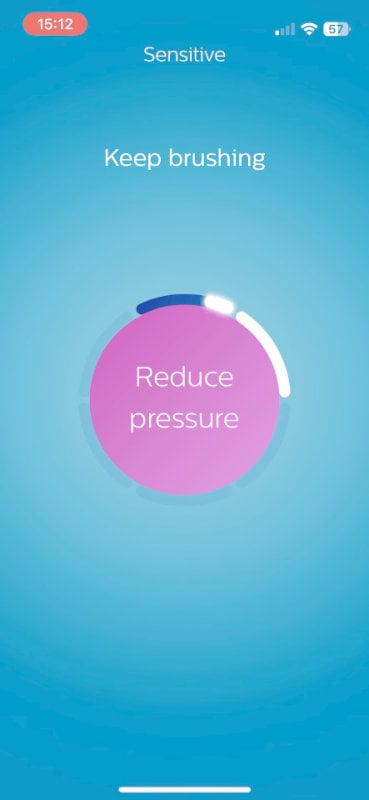
Compared to brushes that do have real-time feedback, it’s less useful.
The data points the brush logs are when you’ve brushed, how long for and how much pressure you used. It doesn’t tell you that you forget to brush your upper right quadrant of teeth, for example.
When you consider what the app does overall, it’s not bad. It gives you a dashboard of color-coded information, which is quite useful and probably enough for most people. It encourages you to improve through the charts, data tables and messages displayed on screen.
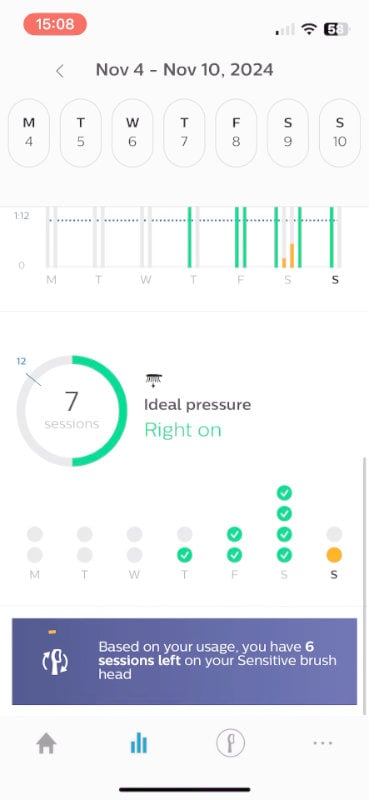
The brush doesn't relay back to the app in real-time which mode or intensity you're using, which is a shame. I think there's an opportunity for that to be conveyed. It doesn’t show the battery percentage either.
Overall, I score the app 7 out of 10 for user experience. It can track brush head usage and has useful tips and tools, but could do more in educating you on what you're doing right and wrong. It's fundamentally based on whether you're brushing regularly and how long you're brushing.
If you’re trying to pay more attention to your brushing habits, you may well find the app helpful. If you’re the sort of person who will regularly check in on it then it could improve your oral health. If you only look at the app for the first week and then forget about it, it’s not worth paying the extra for. If you want a fully fledged smart toothbrush experience, you’re better off looking at the Sonicare DiamondClean Smart or Prestige 9900. Comparable options from other brands are the Oral-B iO6 and Oclean X Pro Digital.
Additional items & features
The Series 6500 has an excellent implementation of the main features we recommend, plus a couple of nice touches that help it stand out from similar brushes.
In the sections below I comment on those features and considerations that are not included within our other review categories.
It’s relatively quiet
I recorded the noise level of the Series 6500 at 63dB during testing. Whilst that’s not the quietest among Sonicare's brushes, it’s still quiet overall.
Overall, the loudness of an electric toothbrush isn’t a big consideration unless you need to keep noise to a minimum.
For sake of comparison, in the table below and throughout this article I have included SURI 2.0, which gets the main recommendation in our best electric toothbrush roundup.
|
SURI 2.0
|
|
Philips Sonicare 4100 Series
|
|
Philips Sonicare Series 6500
|
|
Philips Sonicare Series 5500
|
|
Philips Sonicare Series 6100
|
The beeps and LEDs are helpful
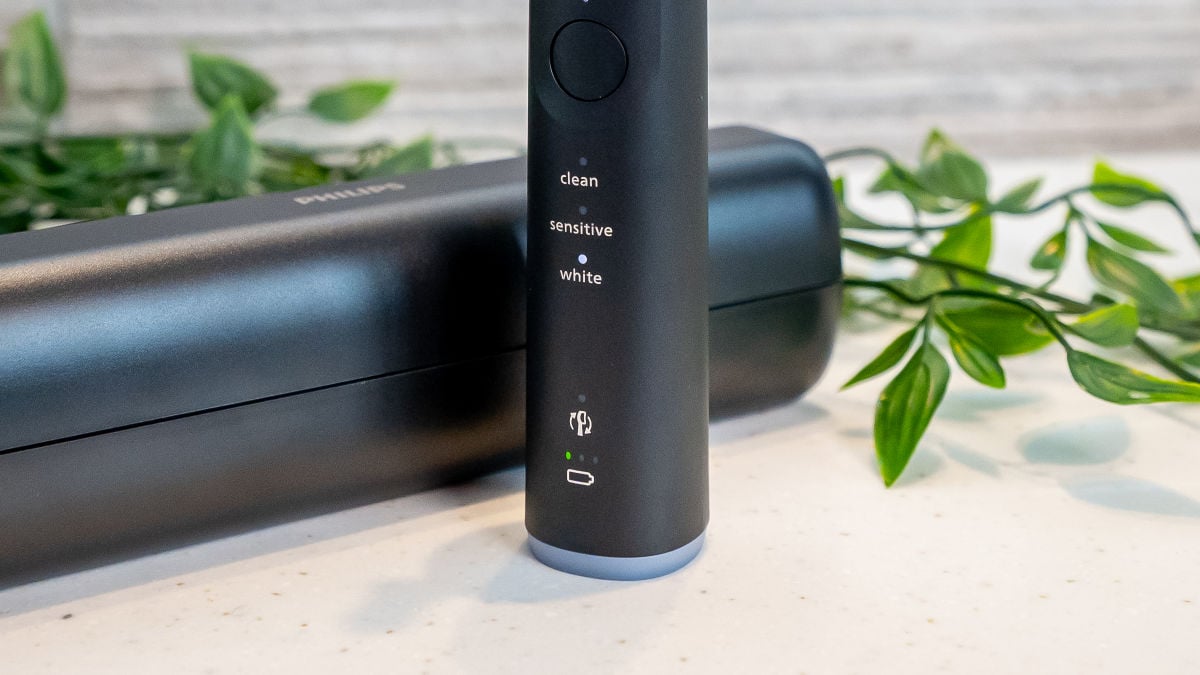
The 6500's handle has several LEDs that give you useful info without making the design look cluttered.
At the top, there are three LEDs between the power and mode buttons that get smaller as they go down — these show which intensity you've picked.
Under the mode button, there are clearly labeled LEDs for each cleaning mode. Toward the bottom, there's a BrushSync LED that tells you when it's time for a new brush head.
Below that are three LEDs showing battery status. Some other Sonicare models only have one LED here. Having three is useful since it gives you more warning when your battery's running low.
Another nice thing about the 6500 (and most Sonicare brushes) is the little beeps and vibrations it gives when you put it on the charging stand. It may seem minor, but if you're partially sighted, it's a helpful confirmation that your brush is actually charging.
There are two travel case options
At the time of writing, there are two different variants of the Series 6500 available.
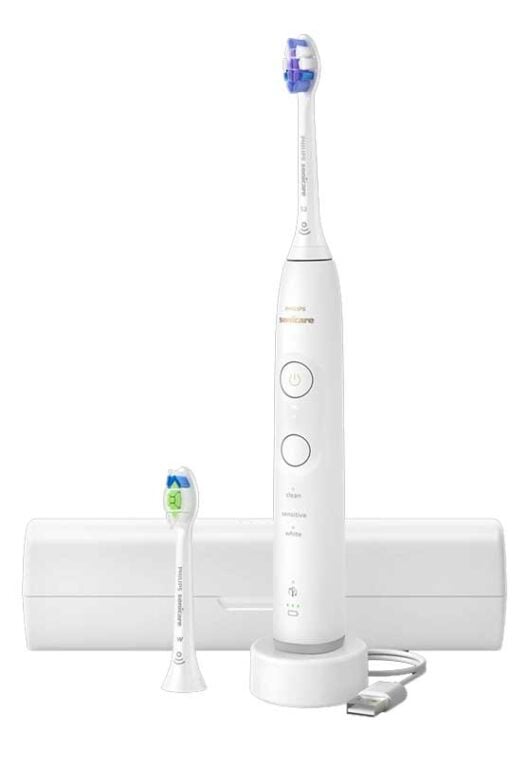
The white version comes with a basic slim travel case that protects the toothbrush. The black version comes with a case that can charge the toothbrush.
If it’s no more than £10 to £20 more, the charging travel case is worth going for.
There isn't a version of the 6500 that comes without a travel case. I would expect one to be included at this price point, but if it's something you don't need, it's adding to the overall cost.
Unless you never take your toothbrush away with you, it is an extra that's worth having.
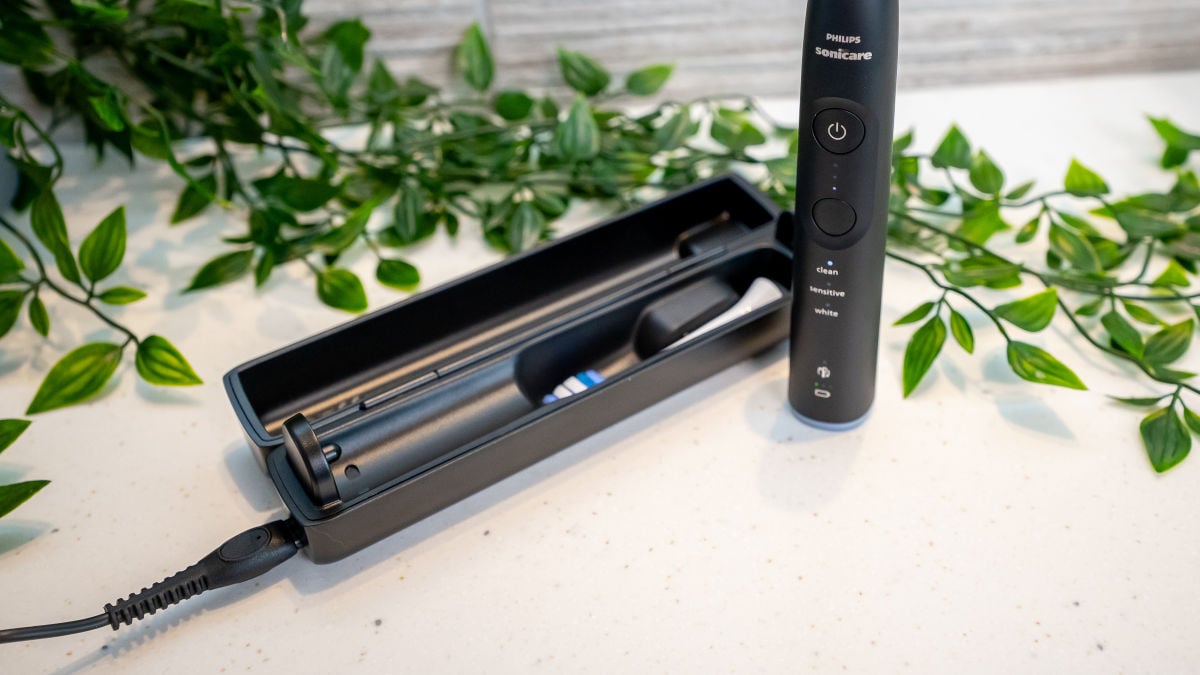
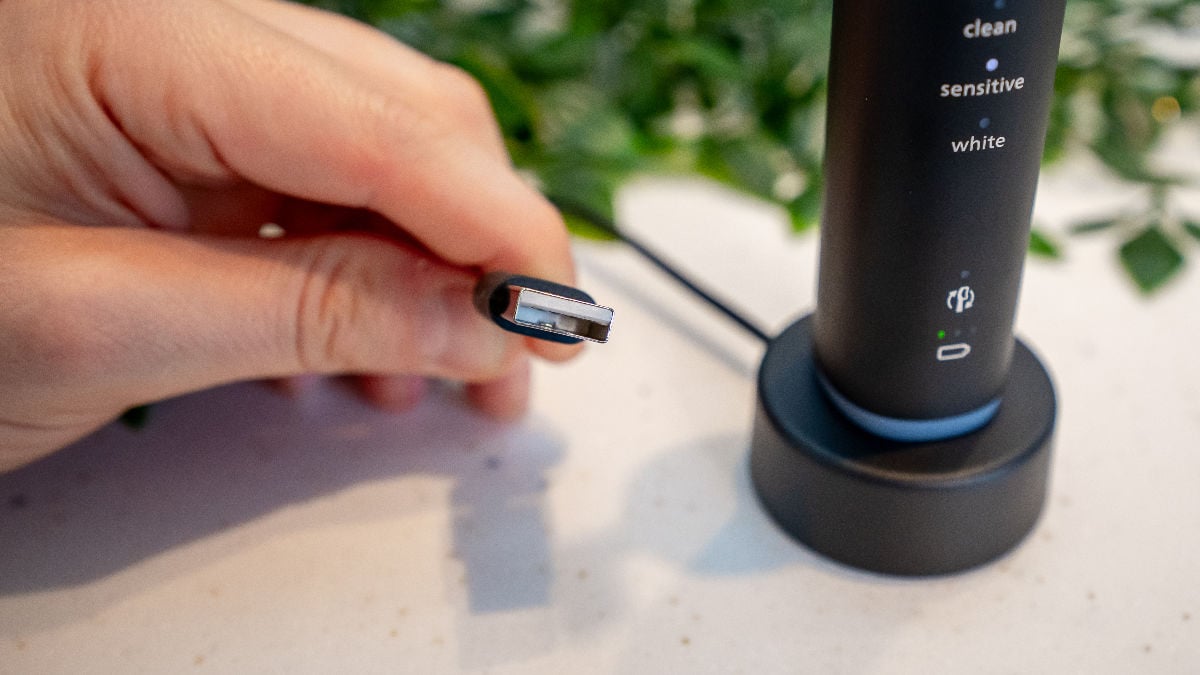
It's important to note that the charging travel case uses a detachable USB-A to proprietary 2-pin connector, meaning it can't be charged with a USB-C phone charging cable like some cases, such as SURI. The charging stand included with the Series 6500 uses a USB-A connection, making it compatible with phone chargers that have a USB-A port, which many now do.
It’s easy to clean
Like all the brushes in this range, the Series 6500 is easy to wipe or rinse clean. The smooth handle doesn't have any textured surfaces or rubber grips that could wear down over time and house residue.
I do recommend paying extra attention to the button areas — give them a good rinse to prevent toothpaste buildup.
While water shouldn’t get inside the brush through the gap between the power button and handle, dried toothpaste residue could get stuck in there and become a pain to clean out if it builds up over time.
It’s BrushSync compatible
The 6500 is BrushSync compatible. This means that if you use BrushSync-compatible heads, the BrushSync LED notifies you when it’s time for a replacement. BrushSync heads are more expensive, so if you're budget-conscious, you might prefer sticking with regular heads. The 6500 is compatible with both types.
For more detail on both types, check out our post on the best Sonicare brush heads.
Strangely, the 6500 doesn’t have mode pairing, which matches your brush head with the optimal cleaning mode. I expected that it might have this given the three cleaning modes. The brush above it in the range, the 7100, does have it.
Mode pairing isn’t much to go without and it not being there is just an observation on my part. It’s not a feature I would seek out if buying a brush.
The effort required to pull brush heads off is about right. Sometimes it can feel a little stiff when removing a head from the 6500, but that is the case with many electric toothbrushes.
Battery performance
The 6500 and the other new Sonicare brushes in this range have some of the most impressive battery life I’ve seen in a toothbrush. As an added benefit, if / when the time eventually comes, replacing the battery is relatively straightforward.
42 days of battery is excellent
Sonicare states a 21 day battery life for the 6500, but in my own hands-on testing it averaged 42 days when using the standard mode. That’s well over a month’s use from a single charge — impressive!
The battery size is one of the main differences between these newer brushes and some of Sonicare’s older models. The larger battery means you need to charge less often to get more usage from them, which could be a key factor if you’re deciding between two models.
To give a comparison, I measured the 4100 Series battery life at 17 days, which isn’t bad, but a difference worth considering if you prefer to not have to charge your brush too often.
|
SURI 2.0
|
|
Philips Sonicare Series 5500
|
|
Philips Sonicare Series 6100
|
|
Philips Sonicare Series 6500
|
|
Philips Sonicare 3100 Series
|
|
Philips Sonicare 4100 Series
|
The battery is user replaceable
While Philips Sonicare doesn't mention this in the manual or officially recommend it, you can replace the battery yourself if needed. I tried it (see my video here) and it's fairly easy with just a Torx and Phillips screwdriver. This is great because if your battery dies after about five years, you can swap it out yourself without much hassle or cost.
To do it, just unscrew the Torx screw in the base of the handle and pull off the base cap. Then push down on the spindle at the top to slide out all the internal parts. Just watch out for the spring that might pop out. It uses a 750 mAh battery.
Price & buying advice
Whilst it’s a great brush, the Series 6500 does push beyond our recommended price range.
Brushes like this sometimes feel like they have a strange price point because they aren’t expensive enough to offer true ‘smart’ features, but they are more expensive than brushes that offer only the key features.
The Series 6100 sits just below the 6500 and offers just as good an experience. The 5300 and 5500 then sit below that and still do a very good job.
My main advice here would be to go for whichever is the cheapest out of the 5300, 5500 and 6100. If you suffer from sensitivity, the 6100 is worth giving preference to.
I’ve included all four brushes in the comparison table below, along with our recommendation for the best electric toothbrush, SURI 2.0.
The only caveat to the above advice on Sonicare is that sometimes there are deals running. If you like the sound of the 6500 and there’s a deal running to make it comparable in price to the others, it’s worth going for.
If you are interested in the Series 6500 for its smart functionality, see my comments above and some of the other brushes worth considering alongside it.
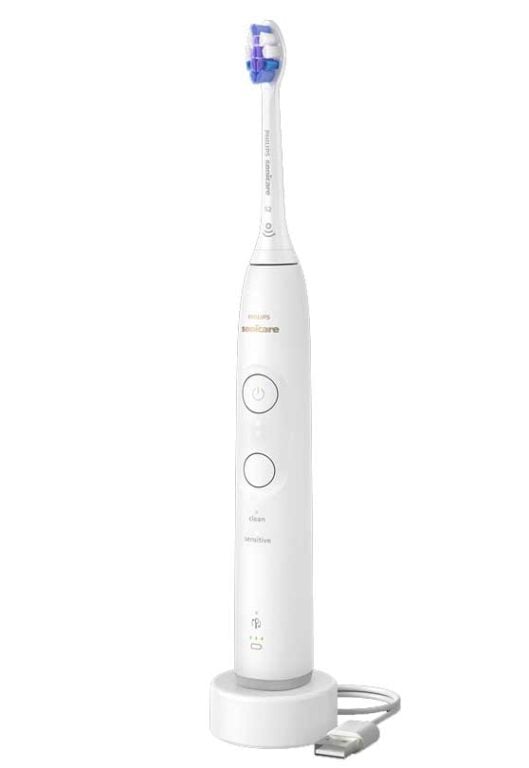
| Overall Score |
| How well it cleans |
| How it feels |
| Recommended features |
| Additional items & features |
| Battery performance |
| Smart features |
| Price |
| Buying options |
|
|
|

|

|
|---|---|---|---|
|
86
|
85
|
85
|
87
|
|
100
|
100
|
100
|
100
|
|
88
|
88
|
88
|
97
|
|
82
|
82
|
82
|
82
|
|
62
|
62
|
62
|
68
|
|
80
|
80
|
80
|
77
|
|
45
|
- | - | - |
|
57
|
57
|
43
|
57
|
Support & reputation
The Series 6500 comes with the standard two-year UK warranty. It feels sturdy and based on my experience with Sonicare products, I'd expect it to last much longer than that.
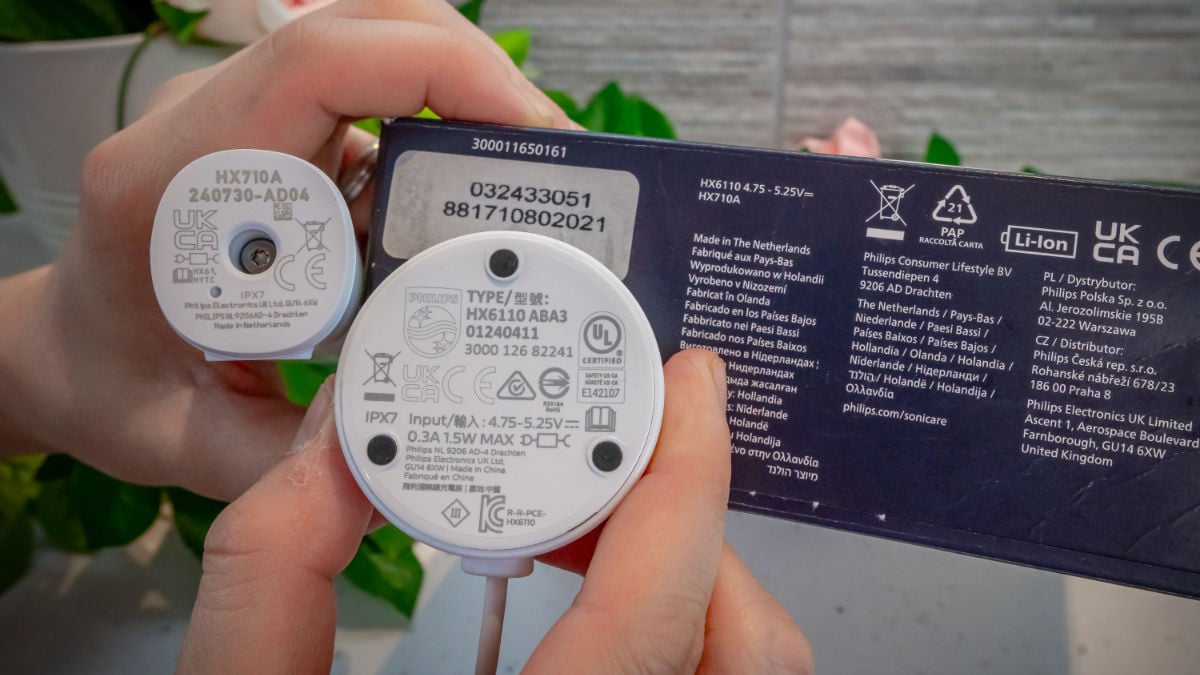
It’s worth noting that while the brush handle and packaging say "Made in Netherlands," the charging stand is marked "Made in China." This isn't unique to this model — parts are likely manufactured in China with final assembly happening in the Netherlands. It’s quite common for most products these days, but something to consider if origin matters to you.
A big plus is that you can replace the battery yourself, which isn't true for all modern electric toothbrushes. If the battery capacity drops after a few years, you can swap it out without buying a whole new brush. This saves money in the long run and is better for the environment too.
Environmental impact
We don't score this section as it's hard to evaluate it fairly without full data on manufacturing and shipping.
But, here are some observations and comments on the Series 6500's environmental aspects:
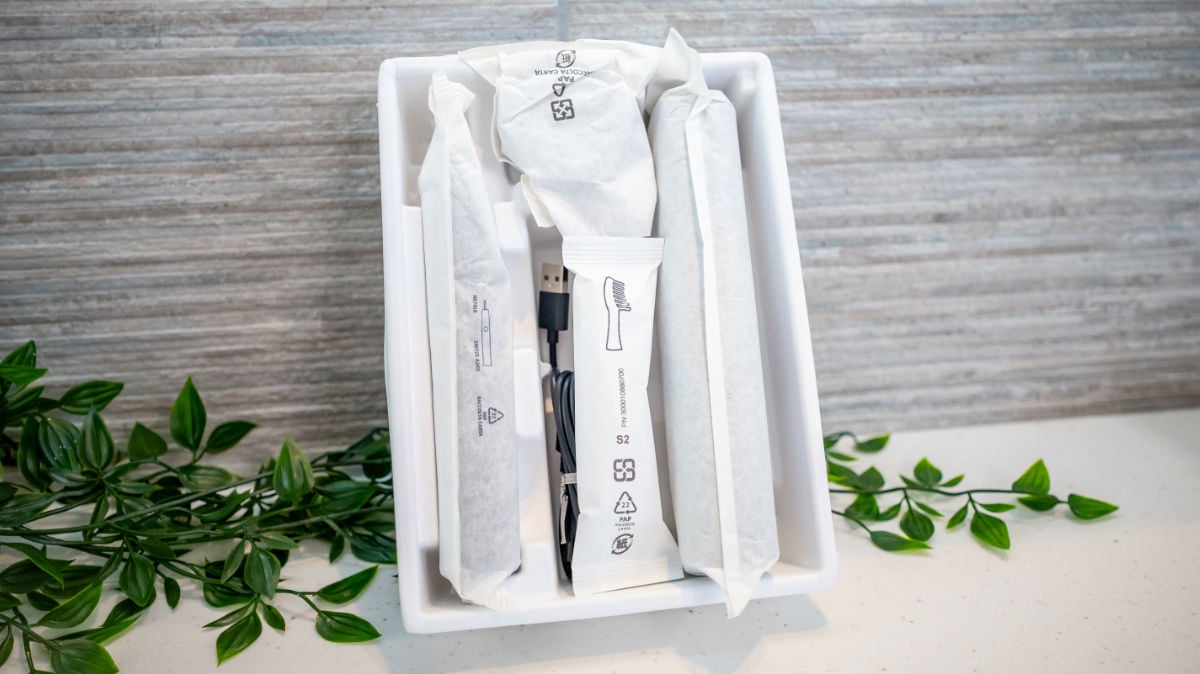
The packaging is paper and cardboard instead of plastic. This is a small but positive step away from the single-use plastics that I've complained about before.
According to Sonicare's website, some brush heads are now made from 70% bio-based plastic. While still plastic, these bio-based alternatives use renewable resources instead of petroleum-based ones.
Sonicare previously had a Terracycle recycling program for brush heads, but that's been discontinued. It would be great to see them introduce their own recycling program like SURI has done to help manage their waste.
The 6500 has basic smart features, meaning more components than a non-smart brush and more environmental impact. BrushSync heads also contain RFID chips, making them more resource-intensive than regular brush heads.
On the plus side, having a user-replaceable battery makes it easier to extend the brush's life rather than buying a completely new one when the battery dies.
Conclusion
As the scores in this review suggest, the Series 6500 is a decent brush to use. It cleans well and has excellent battery life. The pressure sensor implementation is fantastic.
Despite this, I do think it’s a bit more than the average user needs. Having nine cleaning configurations is unnecessary.
It’s a good brush if you suffer from sensitivity, but the same can be said of the 6100, which you should find available for less money unless there is a deal running on the 6500.
Video review
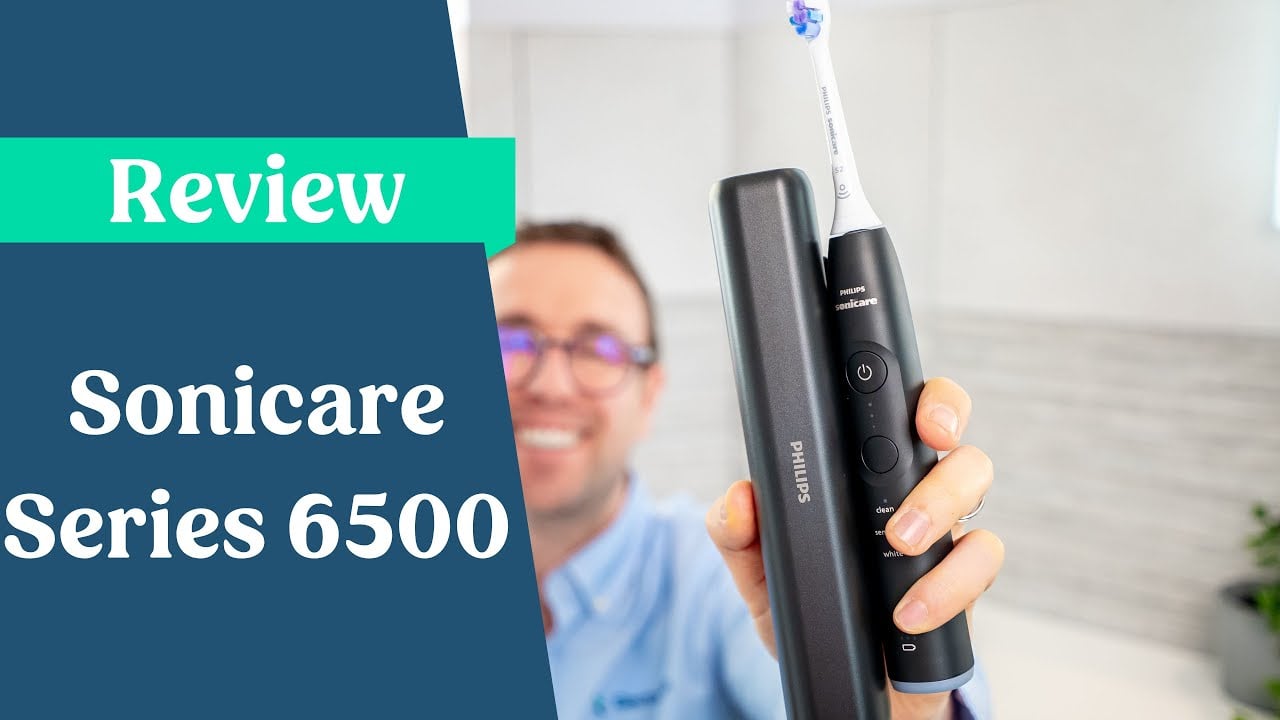
See the video review below to find out more about my hands-on experience testing the Sonicare Series 6500.
Size guide
- Toothbrush height with head - 24cm / 9.4 inches
- Toothbrush height without head - 18cm / 7.1 inches
- Width - 2.8cm / 1.1 inches
- Depth/thickness - 3cm / 1.2 inches
- Weight with head - 123g / 4.3oz
- Weight without head - 118g / 4.2oz
- Package weight - 376g / 13.3oz
Noise
- 63dB
Country of manufacture
- Netherlands (handle) & China (charger)