







What the cleaning experience is like and how clean our teeth felt after brushing.
How well it cleans Score SummaryWhat the brush is like in-hand; how grippy it is, what the balance is like, how easy it is to remove brush heads.
How it feels Score SummaryDoes the brush have our recommended features of a timer, pacer & pressure sensor and how well do they perform?
Recommended features Score SummaryHow long does the battery last, how long does it take to charge and does the brush have a battery level indicator?
Battery performance Score SummaryWhat are the total ownership costs over the space of several years and how expensive are replacement brush heads?
Price Score SummaryHow easy is it to clean the brush, how noisy is it, does it come with a travel case or any other useful items?
Additional items & features Score SummaryHow long is the warranty, what is the manufacturer's reputation and how strong are its environmental efforts?
Support & reputation Score SummaryApplies to smart toothbrushes only. How well does the smart technology work and how useful is the app?
Smart features Score SummaryOur verdict


The Philips Sonicare Series 5300 is a solid brush that makes incremental improvements on its predecessor, the ProtectiveClean 4300.
It cleans the teeth well, has an outstanding battery life and is a good choice for anyone looking for a reliable, mid-range electric toothbrush. It has scored highly in our most important categories.
If you want a fantastic brush that cleans well and without breaking the bank, look no further.
It’s worth paying for the version that comes with a basic but functional case if you travel frequently.


Pros |
Cons |
|---|---|

Excellent battery life |

No cleaning intensity labels |
|
Well-implemented pressure sensor |
How well it cleans
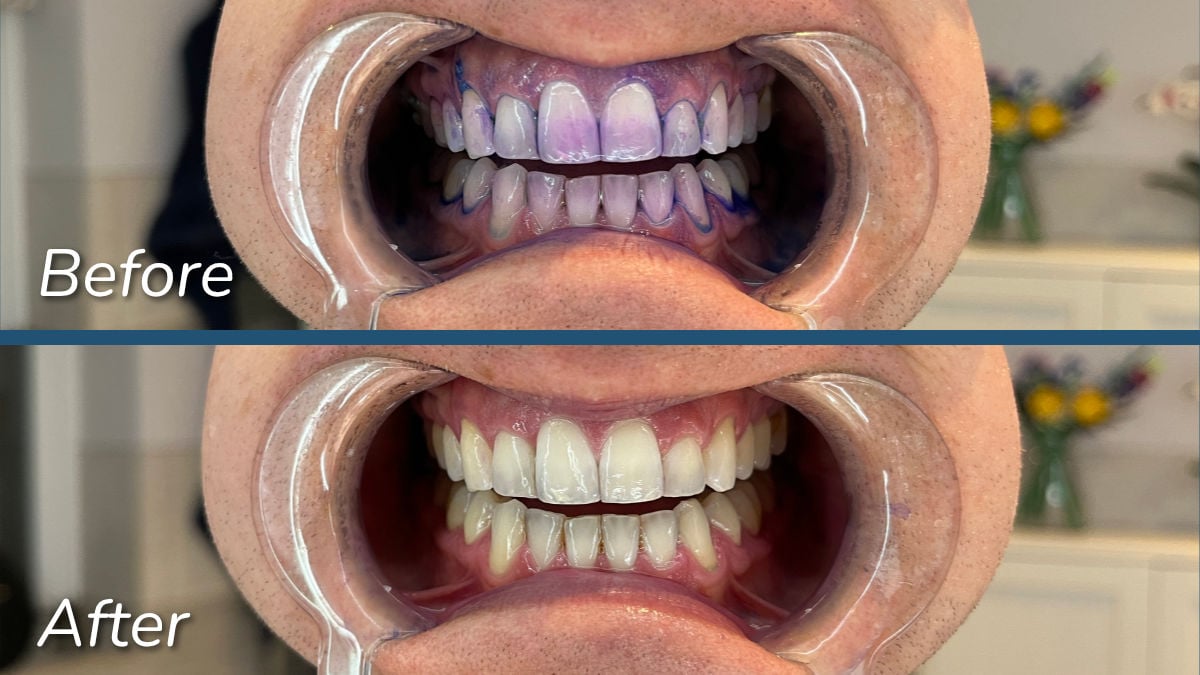
The Series 5300 scores full marks in this category, as is to be expected of a Sonicare brush. As you can see from the before and after photos below, there was only a tiny amount of residual plaque left over during my disclosing tests. Used properly, the 5300 does its job very well.
The two cleaning intensities are more than comfortable enough
The 5300 comes with two intensity options; high and low. These can be likened to a standard clean and sensitive cleaning mode. There are no LED symbols on the handle to show which you are using — you can simply feel the difference in the power. Even the lower of the two is relatively strong, but should be more than comfortable enough for most people.
The other brushes in this new series from Sonicare do have cleaning mode icons, so if that’s a feature that you prefer to have it’s worth considering the 5500, or one of the other models, over the 5300.
The motor delivers 62,000 movements per minute.
The new motor technology is hard to notice
The motor has Sonicare's next generation sonic technology which is supposed to enable it to deliver more consistent power in tighter spaces of the mouth. This means that if the motor comes under additional pressure, for example when it’s pressed against the cheeks as you brush your molars, the bristle movement is not reduced.
I would be hard pushed to say that I could really tell a noticeable difference compared to other Sonicare models without the latest generation technology. Maybe ever so slightly, but that could have been psychological on the basis of knowing it was there. I could certainly feel a consistent and strong power from the head throughout the clean, as I'd expect with a premium Sonicare electric toothbrush.
How it feels
In this category the Series 5300 has a score that is typically high for a Sonicare brush. The handle has a comfortable and solid feel with a matte finish. It features a well-built design that draws inspiration from Sonicare’s top of the range brush, the Prestige 9900.
The handle has a nice weighting to it
Most of Sonicare’s brushes are very nice to hold and have a premium feel to them, but the 5300, and Sonicare’s other new models, feel even better.
The design trends of the Prestige 9900 — Sonicare’s most expensive brush — are intentionally noticeable and this does give the brush an extra feel of quality. It’s made from good materials and there’s a pleasant, matte finish to it. It's definitely not slippy and has a nice weighting to it.

The power button is soft to press, but could be a location for grime buildup
One of the big design differences compared to the Prestige is that the 5300 has a physical power button, which doubles up as the button for switching intensities. The Prestige has a seamless button design, which means that you simply press the handle to activate the button. They are minor points, but there are pros and cons to each design.
The advantage of the 5300’s physical button is that it’s softer to press, which is preferable if you suffer from arthritis or dexterity issues. The Prestige button can actually be quite firm to press, which you might not appreciate if you have pain in your thumb joints. The firmness of the 5300 power button is what I would call typical — not too hard, not too soft.
One potential downside I can envisage with the physical power button is that there’s an obvious gap between it and the body of the handle. I’ll give Sonicare the benefit of the doubt here and assume that its quality control process will have tested this, but it feels to me like a potential spot for grime and gunk to build up. The seamless button design on the Prestige 9900 was brought in to address this issue as it had occurred with other, older models. Maybe Sonicare has found a new design to address this?
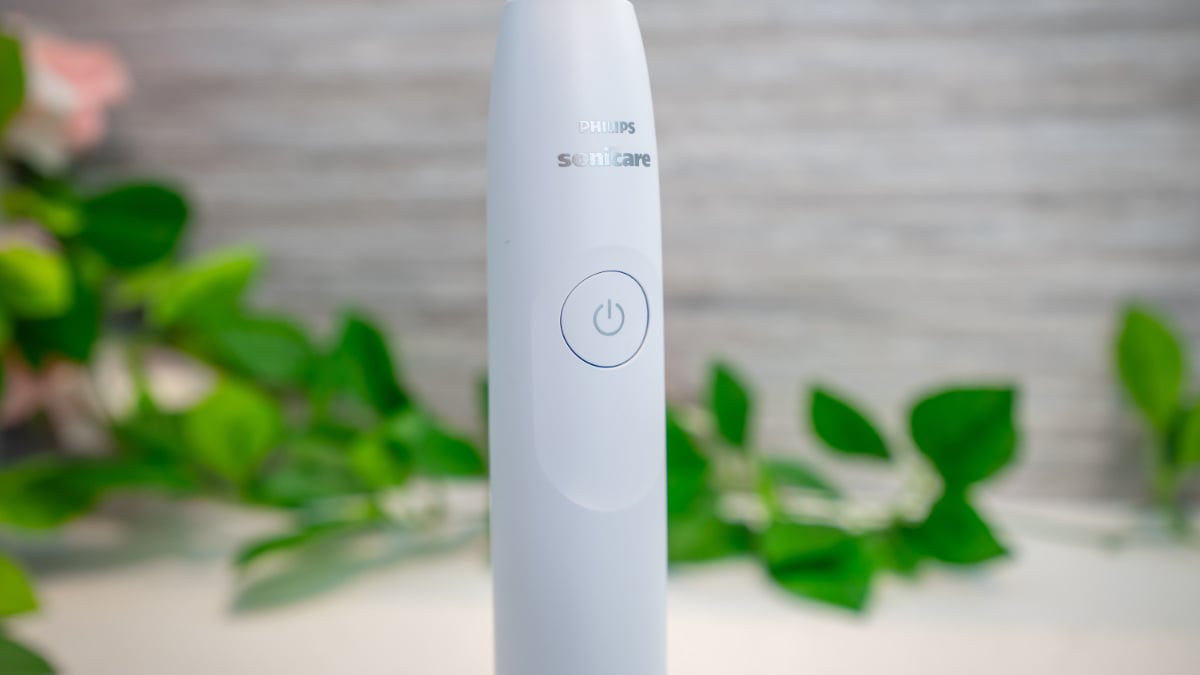


As is the case with any toothbrush, my recommendation is to give it a quick rinse under the tap after use to ensure you’ve cleared away any toothpaste residue.
It may seem unnecessary to go into so much detail about power buttons, but I know these small discrepancies can make a big difference for some users. To make a comparison to another brush, the 4100 Series button has a rubber coating. This makes it slightly more noticeable because it has a textured power symbol, whereas the button for the 5300 is actually printed on. Whilst it looks as though it could be, I imagine the 4100 Series isn't actually a seamless design, so you could potentially get water and gunk behind its rubber coating if you don’t rinse it regularly. I must emphasise that this is a minor point, though.
As is the case with many electric toothbrushes, the 5300 has a slight recess that the power button sits in. This helps your finger to find the power button if you’re visually impaired or using the brush in the dark. It’s functional and also adds to the design aesthetic.
Recommended features
The 5300 Series again scores highly in this category, which means it has a strong implementation of the features we regard as being most important — a timer, a pacer and a pressure sensor.
The pressure sensor alerts are easy to pick up
There are various ways to implement a pressure sensor and I would say that Sonicare has done a very good job with the 5300 – it’s very obvious when it’s activated.
If you press too hard when brushing you can hear the sound of the motor change, which signals that the pressure sensor has been activated. There is also a vibration that travels through the handle. I think this is a much better implementation for a deaf or blind person because you can easily feel the strength of the vibration. It means that you’re not relying on the visual alert that’s used in other brushes, such as those from Oral-B.
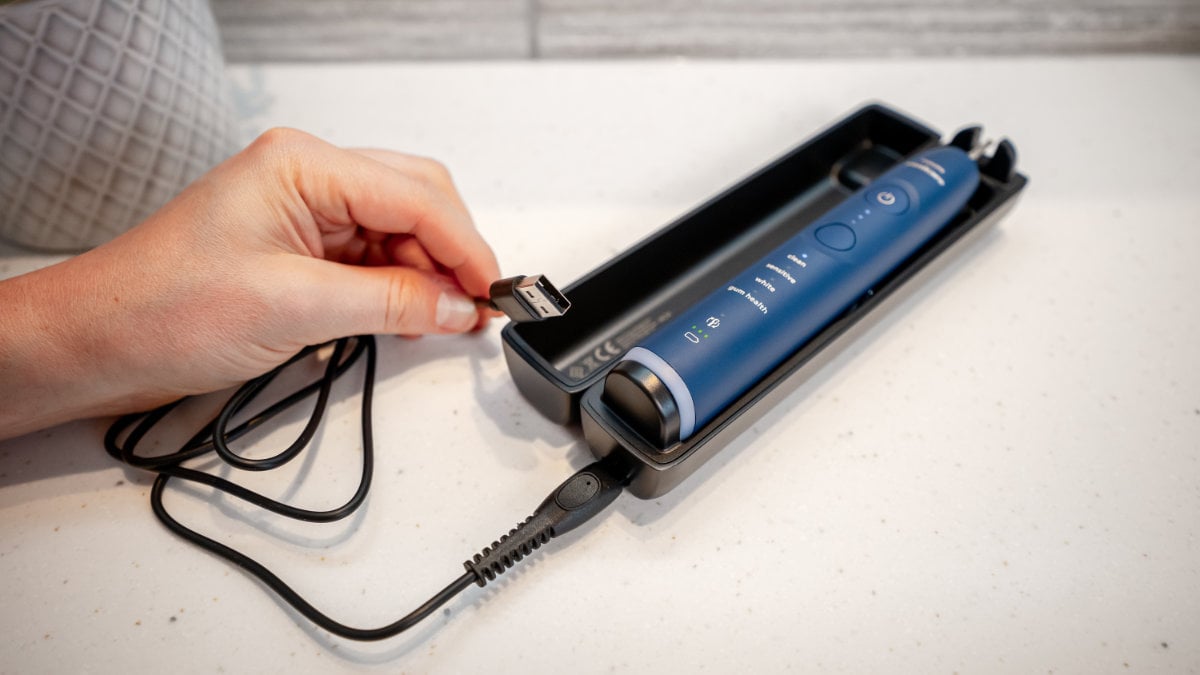
Technically the 5300 does have a visual alert because the BrushSync head replacement LED lights up (as shown in the photo below), but its position on the handle makes it very difficult to see. It doesn’t have the more visible light ring that’s included with some other Sonicare models.
It’s also worth noting that you can turn the pressure sensor off if you prefer, which is a nice touch. The same is true of Sonicare’s EasyStart, which is a feature that helps you to get used to electric toothbrushing by gently increasing the brushing power over the first 14 brushing sessions. If you’ve owned an electric toothbrush before, you may wish to turn it off. It’s these small touches that add to the overall user experience and go some way to justifying the slightly higher price tag that Sonicare commands.
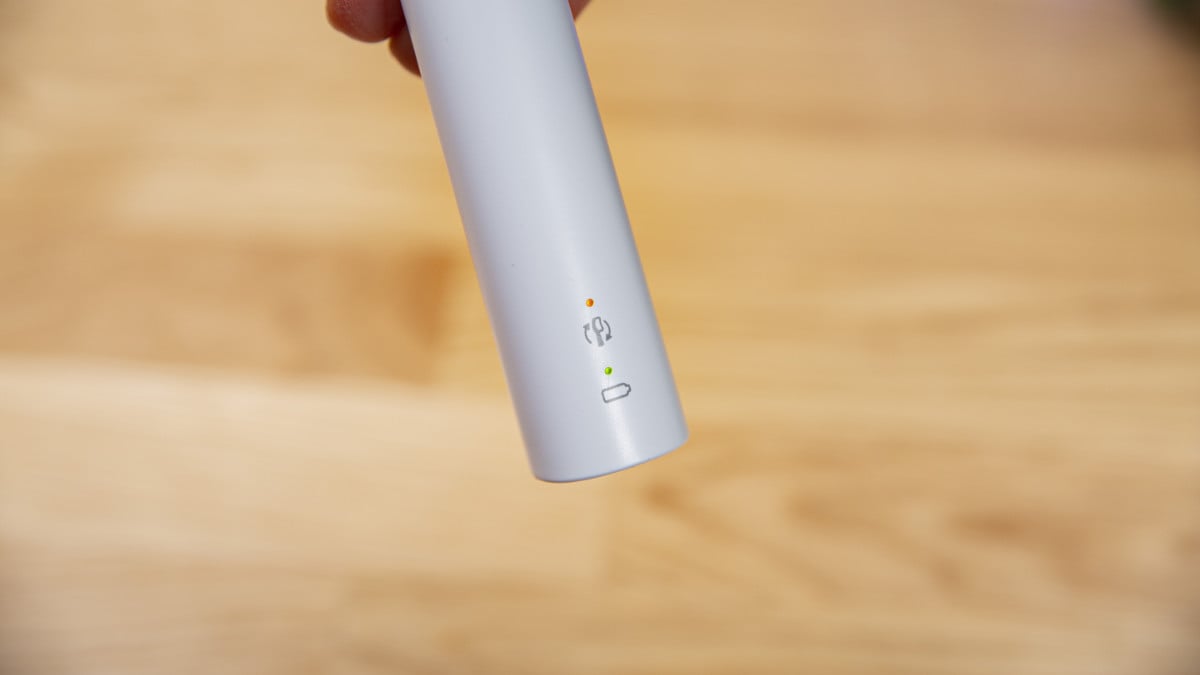
Please note: the above image shows the 4100 handle, which only has one battery notification LED, whereas the 5300 has three LEDs (see a close up below in the battery section). The BrushSync notification / visible pressure sensor alert is the same on both handles.
Auto power off and sextant pacing
Like most Sonicare brushes, the Series 5300 automatically powers off after 2 minutes of brushing. In terms of the pacer, it’s configured to break the mouth up into 6 zones that you brush for 20 seconds each rather than 4 zones that you brush for 30 seconds each.
Assuming you pay attention to the pacer, I would say 4 x 30 seconds in the easier configuration to use, but in practice it doesn't make a great deal of difference. The main thing is that you brush evenly across all of your teeth, front and back.
Additional items & features
This is a category where the 5300 Series doesn’t score as highly, but that’s not a bad thing. Its price is kept low by only including the features necessary for a good clean. In the sections below I pass comments on considerations not included in other categories.
Easy to clean, not very noisy
The Series 5300 is easy to keep clean because there are no raised or textured surfaces on the handle. There are no rubber grips that could degrade over time.
As I mentioned above, you may want to pay extra attention to the power button and ensure the area is thoroughly rinsed of toothpaste residue. The gap between the power button and the handle could be a spot where mould could build up. It’s not like it’s going to allow water ingress into the body of the handle, but if residue continually dries in there, it could be tricky to remove.
I recorded the noise level of the 5300 at 63dB. That's not quite as quiet as some of Sonicare's other brushes, but it's still very quiet overall. By comparison the Oral-B Pro 3 3500 is 10dB noisier at 73dB. Noise isn't a big consideration for many users, but if you are trying to keep it to a minimum a sonic toothbrush is a good choice.
|
Philips Sonicare Series 5300
|
|
Philips Sonicare Series 5500
|
|
Philips Sonicare 3100 Series
|
|
Philips Sonicare 4100 Series
|
|
Oral-B Pro 3 3500
|
The travel case version is worth it if it’s not priced much higher
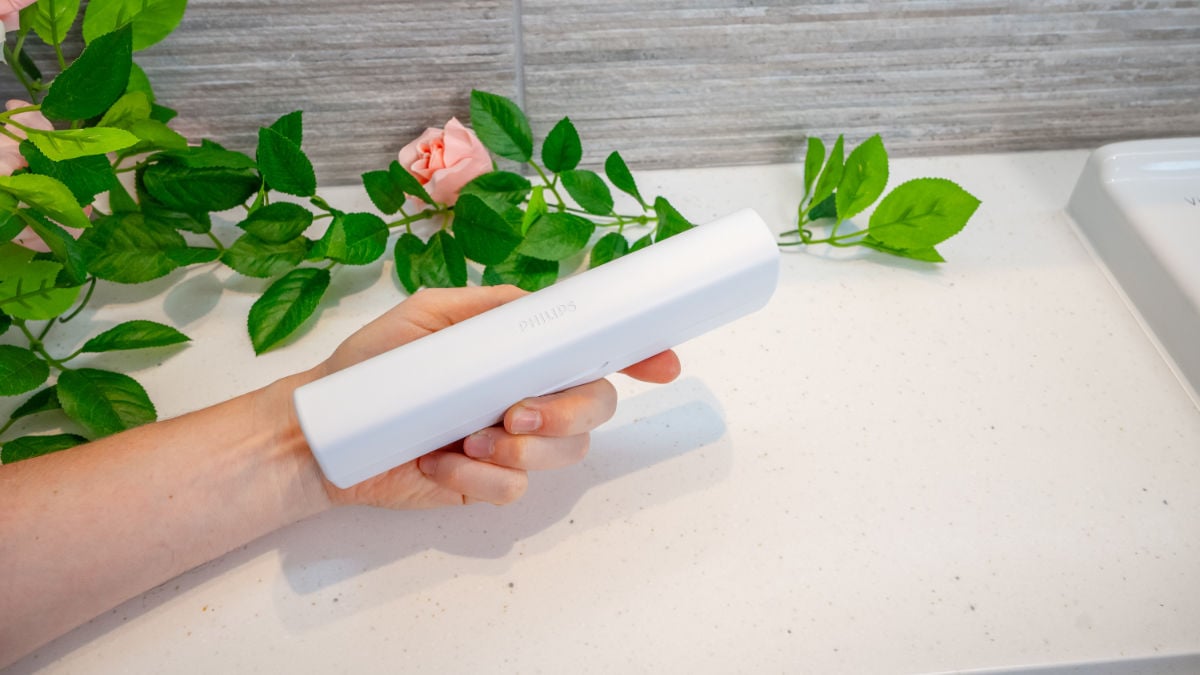
At the time of writing, there was around £5 to £10 difference between the case and non-travel case variants. That's not bad for what you get. It's a basic, lightweight, plastic case that's square in design. It holds the handle and up to two brush heads and clips together rather than being magnetic. It’s perfectly functional.
If you were to drop it on the floor it may come apart, but I wouldn’t say that’s a big concern. Paying an extra £10 for a bit of plastic may feel a bit expensive, but unless you never travel with your brush it’s useful to have it.

You can buy a separate charging travel case for it
One thing to note is that other models like the Series 6500 and 7100 have a very similar case that charges the toothbrush whilst it’s inside. It’s compatible with the 5300 and costs about £20 from Philips at the time of writing.
If you travel frequently this is a convenient way to charge your toothbrush on the go. That being said, the 5300 has got 46 days of battery life, so if you’ve given it a full charge before you leave you may not need to charge it whilst away.
Unfortunately the charging travel case does have a detachable USB-A to proprietary 2 pin style connector — it can’t be charged using a USB-C phone charging cable like some cases, such as SURI, can.
The charging stand that comes in the box with the Series 5300 is powered by a USB-A connection, so it can be used with a phone charger, assuming it has a USB-A port, as many now do.

It’s BrushSync compatible
The 5300 doesn’t have any smart features, but it is BrushSync compatible. This means that if you use BrushSync heads, the BrushSync LED will illuminate when it’s time for you to replace the head. BrushSync heads are more expensive, so if you’re looking to keep costs down you’re better off opting for regular heads. The 5300 is compatible with both.
It doesn’t have mode pairing (it only has 2 intensities, rather than modes), which is a feature that matches the head you are using to the most suitable cleaning mode. You’re not missing out on much here — there’s not a great deal of difference between the various heads and cleaning modes. We go into more detail in our post on the best Sonicare brush heads.
The force it takes to remove brush heads is about right. Sometimes they can be a little bit stiff, as is the case with many electric toothbrushes, but overall it’s not a major concern.
Battery performance
Battery performance is another category in which I’ve awarded the Series 5300 high marks. It outperformed Sonicare’s own stated battery life by quite some way. An additional bonus is that the battery is fairly easy to replace, should you need to further down the line.
46 days of battery life is impressive
Sonicare quotes a 21 day battery life for the 5300, but in my own hands-on testing it actually scored 46 days on average, which is quite the difference. 46 days is at the higher end for an electric toothbrush; it’s an impressive figure at this price point.
This is one of the key differentiators between the 5300 and the 4100 Series — the battery is bigger. It means you need to charge it less often to get more usable time from it, which could be a key factor if you’re deciding between the two of them. I measured the 4100 Series battery at 17 days, which isn’t bad, but a difference worth considering if you prefer to not have to charge your brush very often.
In the table below you can see the battery life of the 5300 compared to similar Sonicare models and the Oral-B Pro 3 3500.
|
Philips Sonicare Series 5300
|
|
Philips Sonicare Series 5500
|
|
Philips Sonicare 3100 Series
|
|
Philips Sonicare 4100 Series
|
|
Oral-B Pro 3 3500
|
Better battery life does mean a bigger handle
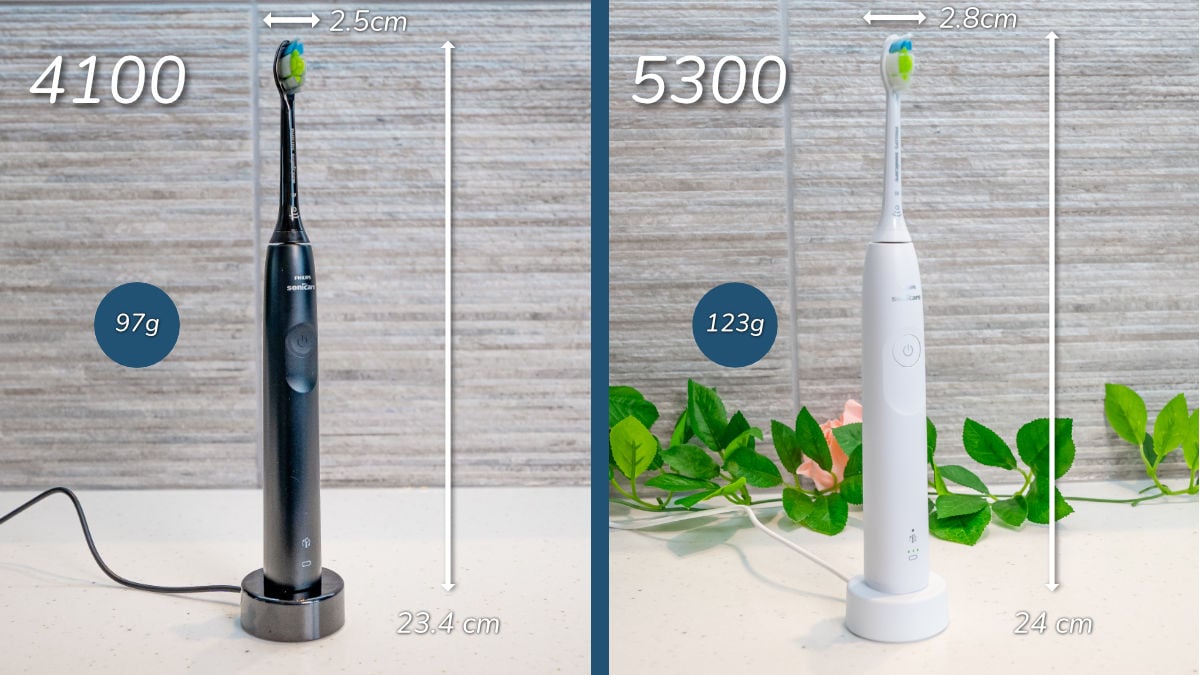
With all of that said about battery life, there is a notable size and weight difference between the handles of the 4100 and 5300.
The 4100 Series is about 30 or 40% smaller and it's much slimmer. Now, that could be a downside or a benefit depending on your personal situation. If you've got dexterity issues, the lightness and the slimness could be helpful if you find it difficult to hold a heavier toothbrush.
On the other hand, if you struggle to grip onto things, you will probably prefer the larger handle of the 5300.
The dimensions and weight with the head attached are as follows and I've annotated them in the photo below:
Sonicare Series 5300: 2.8cm wide x 24cm tall x 3cm depth, 123g.
Sonicare 4100 Series: 2.5cm width x 23.4cm height x 2.7cm depth, 97g
Three bars for battery feedback is more helpful
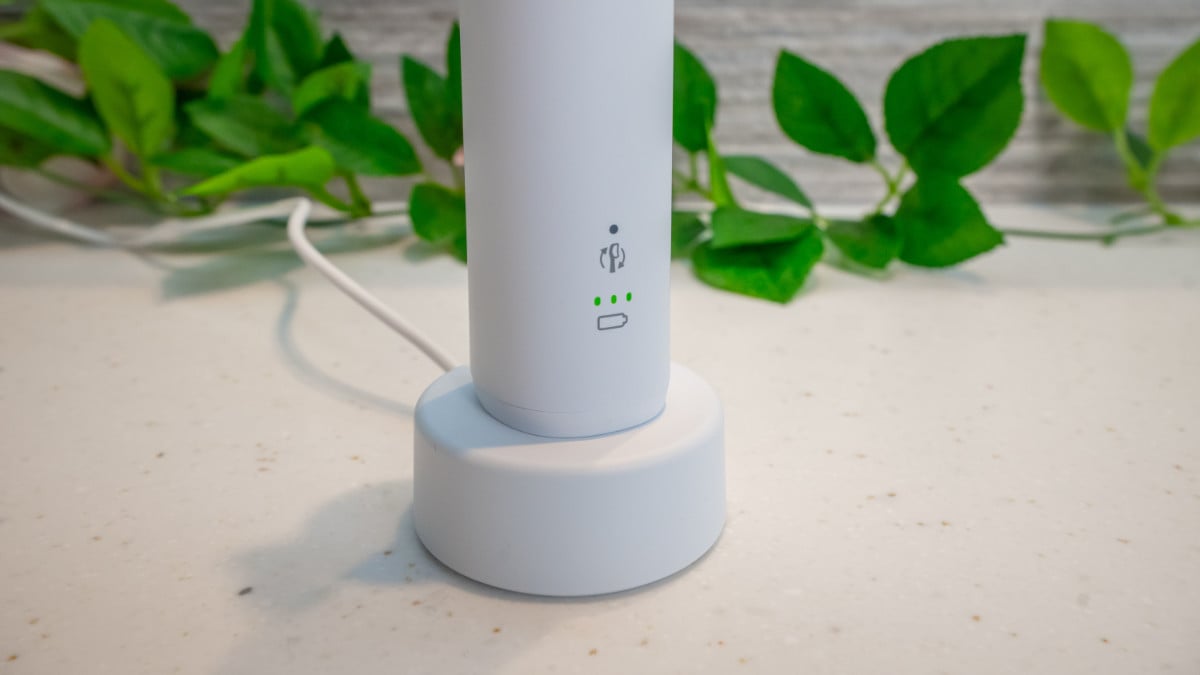
The battery status indicator on the front of the 5300 has three bars to it, which is more useful than the 4100 Series, which only has a single LED.
They work in the same way, but the three bars gives you more of a detailed breakdown of the percentage remaining in the battery.
Like most other new Sonicares, the 5300 uses the new USB connected charging stand, although I have noticed it has more of a matte finish, rather than the glossy finish of the 4100, 2100 and 1100 Series that came before it.
The time it takes to give the battery a full charge is up to 24 hours, as is typical with Philips Sonicare brushes, but with over a month's usage time that can be excused.
The battery is user replaceable
Whilst Philips Sonicare doesn’t specifically state this in the manual, nor is it recommended unless you really need to, the battery is user replaceable. It's fairly straightforward using a Torx screwdriver and a Philips screwdriver. The advantage of this is that if your battery becomes depleted after, say, five years of use, you can theoretically replace it yourself with minimal trouble and expense.
In the base of the handle you have a Torx screw, which can be unscrewed so that you can fairly easily pull off the base cap. Then, apply a bit of pressure to the spindle at the top of the handle, push down, and the internals will slide out. You have to be careful of the spring popping out. It’s a 750 mAh battery.
Price & buying advice
The closest equivalents to the Series 5300 in the Sonicare range are the 5500 from this new 2024 series of brushes, and the 3100 and 4100 Series. All four brushes are very similar.
If there’s not a great deal of difference in price, the 5300 or 5500 are worth going for. For about £15 more you get at least a week’s more battery life, a better battery status icon and a stronger motor. If those features aren’t particularly important to you, you could opt for the 3100 or 4100 and save some money.
It’s worth pointing out that the 5300, 5500 and 4100 have a stronger motor than the 3100. The 3100 motor feels akin to the lowest intensity settings on the other brushes. All four brushes will clean your teeth very well, but if you prefer a more intense clean choose one of the others over the 3100. Other than that, the brushing experience will be almost the same across all four of them.
In terms of comparing the 5300 and 5500, they are almost identical. The 5300 comes with a high and low intensity setting for the cleaning action, whereas the 5500 comes with two different cleaning modes — standard clean and whitening. The 5500 has labels on the handle for the cleaning modes, whereas the 5300 doesn’t have labels for its two intensities. In practice, there is little difference between the intensities and cleaning modes. If one brush is much better priced than the other, it’s worth going for that one.
If you really wanted to keep costs down, the Oral-B Pro 3 3500 is also worth considering. It has a similar feature set, but its heads are cheaper so the lifetime cost works out a little lower. It’s not a significant difference, though. Oral-B uses oscillating-rotating brushing technology rather than sonic, so it depends if you have a preference between the two. The Pro 3 3500 and the Series 5300 both get a very strong recommendation in our best electric toothbrush roundup.
| Overall Score |
| How well it cleans |
| How it feels |
| Recommended features |
| Additional items & features |
| Battery performance |
| Smart features |
| Price |
| Buying options |
|
Our Choice
|
|

|
|

|
|---|---|---|---|---|
|
82
|
85
|
73
|
83
|
79
|
|
100
|
100
|
69
|
100
|
100
|
|
88
|
88
|
88
|
88
|
76
|
|
82
|
82
|
82
|
82
|
82
|
|
42
|
62
|
62
|
38
|
24
|
|
80
|
80
|
60
|
60
|
53
|
| - | - | - | - | - |
|
57
|
43
|
87
|
43
|
100
|

Support & reputation
The 5300 comes with a two year warranty, which is the standard for electric toothbrushes in the UK. It feels solid and reliable so you should expect it to last well beyond the warranty.
The battery is user-replaceable, so if it wears out, as they sometimes do after many years of use, you should be able to replace it yourself. This extends the life of the brush, making it more cost-effective for you and reducing its environmental impact.
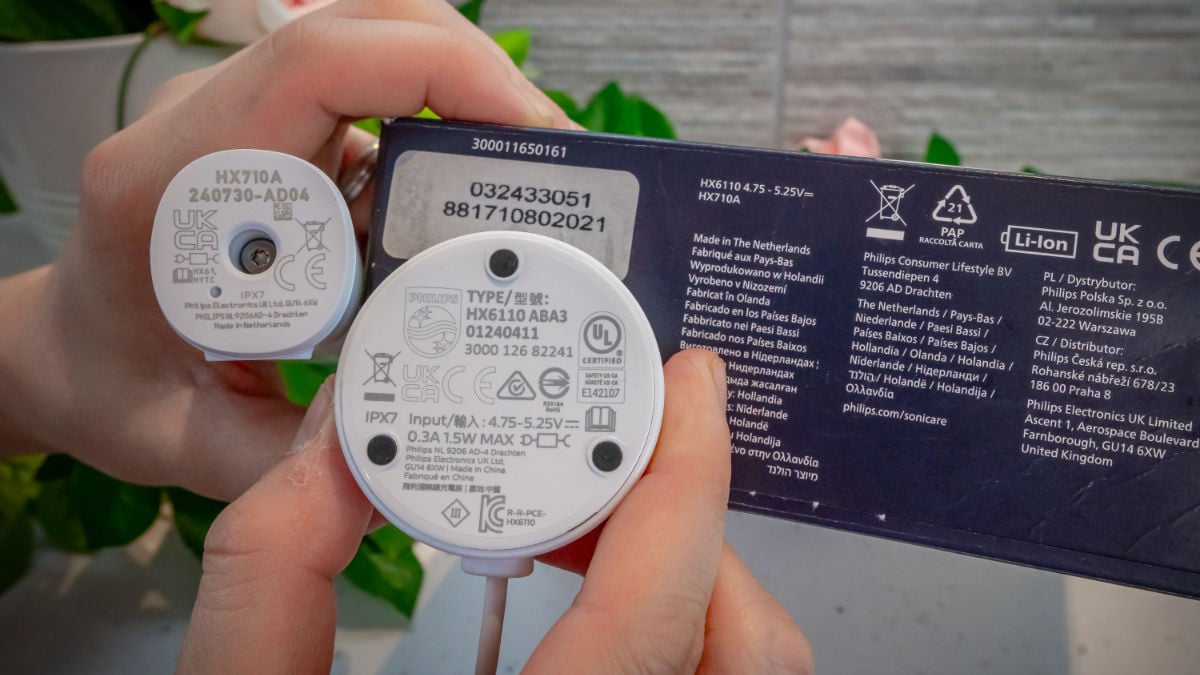
One thing to note is that on the brush handle itself and the box it says that it is made in the Netherlands. The charging stand says that it's made in China. This isn’t something unique to the 5300, but it’s clear that parts of the internals are made in China as well. So it may be assembled in the Netherlands, but the majority of the brush was probably manufactured in China.
Again, this is the case with many electric toothbrushes and other products, but if the brush’s origin is particularly important to you, it’s something you may want to be aware of.
Environmental impact
This is a section that we don’t score because it’s very difficult to measure relatively without full data on the manufacturing and shipping processes.
However, based on our understanding of the environmental impact of electric toothbrushes, I have included some comments below about the 5300 specifically.
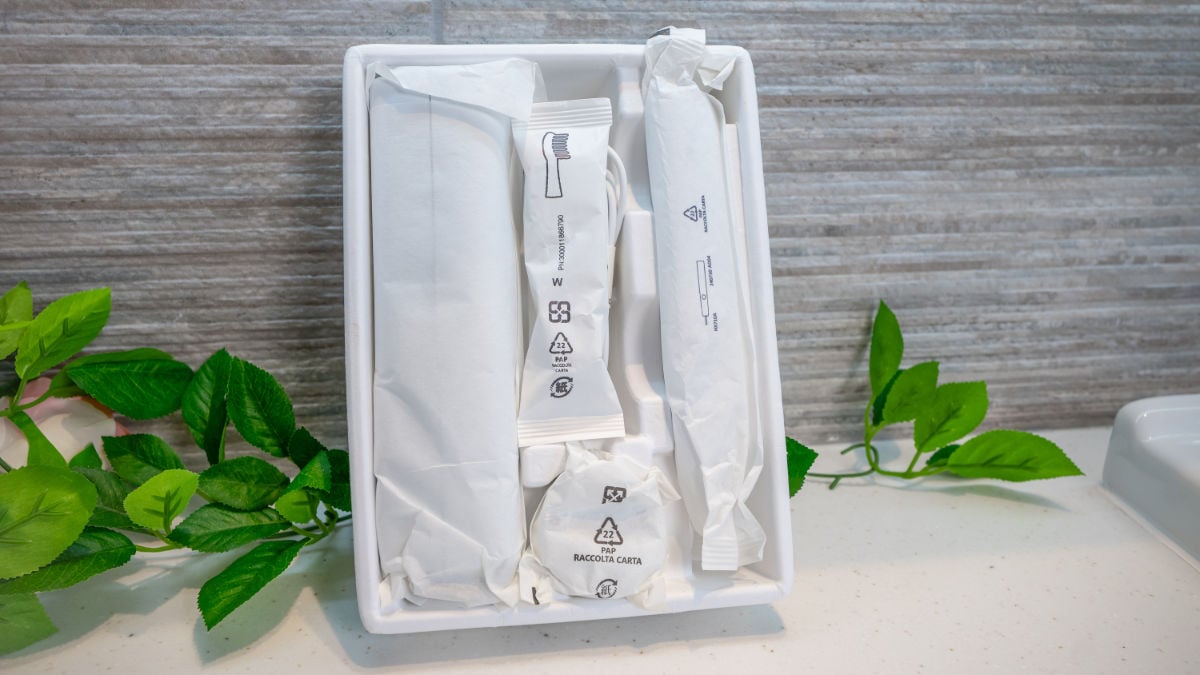
Firstly, its packaging is paper and cardboard rather than plastic. It’s a small consideration in the grand scheme of things but it’s better than single use plastic, which is something I’ve complained about in the past.
According to product listings on the Sonicare website, some of its heads are now made from 70% bio-based plastic. Whilst it’s still plastic, bio-based is better than petroleum-based plastic because it uses a renewable resource rather than a finite resource.
Previously Sonicare had partnered with Terracycle for recycling brush heads, but this has now been discontinued. We would like to see it introduce its own recycling program to help manage the waste it produces. SURI is an example of a manufacturer that has implemented this.
Given its lack of smart features, the 5300 won’t be using as many components as a smart brush, which lessens its impact. That being said, Sonicare BrushSync heads have an RFID chip in them, making them more wasteful than regular heads that don’t have them.
As mentioned earlier, the battery is user-replaceable, meaning that the life of the brush is easier to prolong, which is always better than buying a brand new brush.
Conclusion
The Philips Sonicare Series 5300 is a solid mid-range option that does its job extremely well. If you want a reliable brush that covers the essentials for good oral hygiene, go ahead and buy it.
With significantly improved battery life, a stronger motor, and a better battery status icon, it's a compelling option for those looking for a good electric toothbrush that doesn't break the bank.
Whilst not revolutionary, it offers incremental improvements that justify its slightly higher price point than the 3100 or 4100. It successfully balances performance, features and value, making it a strong recommendation in the Sonicare range.
If you're buying it, do consider the 5500 as well. They are so similar that it makes sense to go for whichever has the best deal running.
Video review
You can find out about my hands-on testing and experience with the Sonicare Series 5300 in the video below.

Size guide
- Toothbrush height with head - 24cm / 9.4 inches
- Toothbrush height without head - 18cm / 7.1 inches
- Width - 2.8cm / 1.1 inches
- Depth/thickness - 3cm / 1.2 inches
- Weight with head - 123g / 4.3oz
- Weight without head - 118g / 4.2oz
- Package weight - 378g / 13.3oz
Noise
- 63dB
Country of manufacture
- Netherlands (handle) & China (charger)

I have just bought a Philips Sonicare 5300 and hope I get along with it. Have sensitive teeth and gums and have bought sensitive brush heads to go with it. Am used to an oral-b. Thank you for your website/youtube reviews and info etc because frankly the whole thing is a nightmare of too much choice. In addition I've found the Sonicare comes with virtually no info about setting up.... eg give it 24 hours charge at the start, what to do if you don't want to access the sector beeps and - most importantly for me - what to do to get the pressure sensor working. Fingers crossed a few weeks with this and my dentist will give me the thumbs up!
Thank you, Jon, but this is merely repeating information from the not too helpful information that came with the product in diagrammatic form.
There seem only four logical options:
1. double the entire brush sequence to four minutes
2. alternate brushing outside and inside the teeth at each brushing
3. count 10s for outside and switch to inside for each sector - even though it takes a bigger hand action and more time to switch from brushing the front of any tooth to the back of it
4. completely ignore the five sets of vibrations 20s apart
In your video, you appeared only to brush the outside of your teeth.
Hi Paul.
Sorry it was not detailed enough for you.
I don't have a better visual demonstration at this stage as most brushes have 30 second pacing. I do have a visual I can share for this, but we haven't created one for 20 seconds.
The idea is you spend 20 seconds in each section. So in the simmplest form 10 seconds front and then 10 seconds back on each of the previously mentioned sections. Yes, it would mean counting 10 seconds yourself as you note in point 3. But, I've typically found you can quite quickly learn the pacing and don't need to count. You instictively know if I pass along these teeth at this pace, then move here I will get it done in 20 seconds. This approach doesn't account for th ebiting surfacrs, but you can reduce the time for the inside and outside services marginally to allow for the biting surfaces.
Another approach could be 20 seconds on the outside surfaces, 20 seconds on the inside surfaces & 20 seconds on the biting surfaces of the upper jaw and then repeat for the lower jaw. This might allow for a smoother movement for yourself.
Of course as you suggest you can ignore it all together, if you prefer. Sadly there is no option to turn the pacer off. It might be distracting.
Without a physcal demonstration, I am not sure how much extra detail I can give and ensure it makes sense.
If you have a dental checkup or hygiene appointment soon, you can always ask your dental professional to assist. They are usually very happy to help and give you a personalised oral care plan, if applicable.
I wouldn't encourage brushing for 4 minutes, this is too long.
As for the video, this is for illustration purposes only. It is not intended as a guide on how to brush the teeth.
Have just received a Sonicare 5300 as replacement for a 4300 that failed under warranty.
I'm confused about the six sector timing.
I used the four sector timing on the 4300 to brush outside upper teeth, inside upper teeth, inside lower teeth and outside lower teeth.
How, then, should I best use the six sector timing?
Hi Paul.
It is the same principle, but 6 rather than 4 sections an da bit different configuration.
Lower rear right
Lower read left
Lower front
Upper rear right
Upper rear left
Upper front
This apprroach doesn't differentiate between inner and outser surfaces.
Hi John,
I have a question regarding replacement brush heads for the 5300 (HX7101/01).
Can you clarify why the S2 Sensitive brush head does not appear on the list of compatible brush heads for the Sonicare toothbrush 5300 (HX7101/01). Also upon reviewing the Philips website, I noted that the S2 Sensitive brush head page also does not indicate compatibility with the Sonicare toothbrush 5300 (HX7101/01).
The S2 Sensitive brush head is compatible with the 4100 and 3100, however its also not shown as compatible with other 5000 series brushes.
If the S2 Sensitive brush head is not recommended as compatible, which alternative brush head would you recommend for individuals with sensitive teeth and gums that is fully compatible with the Sonicare toothbrush 5300 (HX7101/01).
Hi Steve,
The S2 is compatible with the Series 5300. I suspect Philips have just failed to update their website.
Would you say the 'High' and 'Low' intensities are comparable to more premium handles, or is the 'High' on this brush more equivalent to a 'Medium' on a more premium handle?
Trying to be sure I get a brush with the highest amplitude/sweep angle, but at the same time, I don't want any of the 'smart' features of premium brushes. This brush seems to do everything I need.
Thanks!
Hi Matt.
Definately comparable to the premium handles. 👍
Appreciate that Jon, I'll give one a try. 🙂
I've got one perhaps stupid question as I recently purchased this toothbrush and noticed an unexpected behaviour that I haven't encountered with my previous one and that isn't described in the manual.
Under some circumstances, when I simply grab the handle into my hand, the battery level LEDs light up without me pressing the power button. Is this normal? Previously, I had the 4100 and it didn't do that. And when I place it on the desk so that it's easily reachable, I can even just put my palm around the handle and the LEDs will light up in most cases.
Also those circumstances (under which it happens) appear to be quite strange. It seems that if I place the handle vertically after use, it happens (or tends to happen more) pretty much always, however if I place it horizontally (let it rest on the desk) it will stop happening after some time - as if it would first go into some sleep mode after each use and only after some time (perhaps 1 hour, definitely not something like just 1 minute) and in some position (horizontal) it would fully power off.
What's even more strange is that when I took it out of the box for the first time (when it was still in the sealed paper bag), it greeted me with those LEDs lighting up and shining through the paper packaging.
I think there are sensors in the handle that detect movement, but I can't be 100% sure. Perhaps a question for Philips.
I tried to ask Philips support and according to them it's normal. It still feels weird to me as I don't see any good reason to keep that thing awake (almost) all day long.
Thanks for the confirmation. As I thought.
And do you know if that behaviour is normal - e.g. have you seen it with these toothbrushes?
I may try to ask Philips, but their support dept. usually doesn't have very insightful answers to such questions so I'd have to reach some technical specialist which I'm unable to. So I wanted to ask someone who had many these toothbrushes in his hands and knows how they behave.