


How we tested
We specialise in reviewing dental health products and we’ve been consistently testing them since Electric Teeth launched over 10 years ago.
We last revised the recommendations on this page in November 2026, having tested the new brushes released in summer 2026. These will be our choices going into 2027.
When a new brush is released, we buy it, test it and compare it to what’s already available. We then update our reviews and recommendations accordingly. We publish in-depth written and video reviews to share our findings and opinions.
We’ve included the most relevant details below, but we go into more depth in our detailed hands-on reviews. To make our recommendations, we test and consider the features that dentists recommend as the most important: a pressure sensor, timer and pacer. We use disclosing tests to measure how well brushes remove plaque.
We also take into account the finer details like how easy it is to keep a brush clean, how difficult the heads are to pull on and off, and whether or not it’s easy to accidentally turn the brush off during use. Not only do we test products ourselves, but we take on feedback from our community. We have open comment sections and a popular YouTube channel.
What to look for, what to avoid
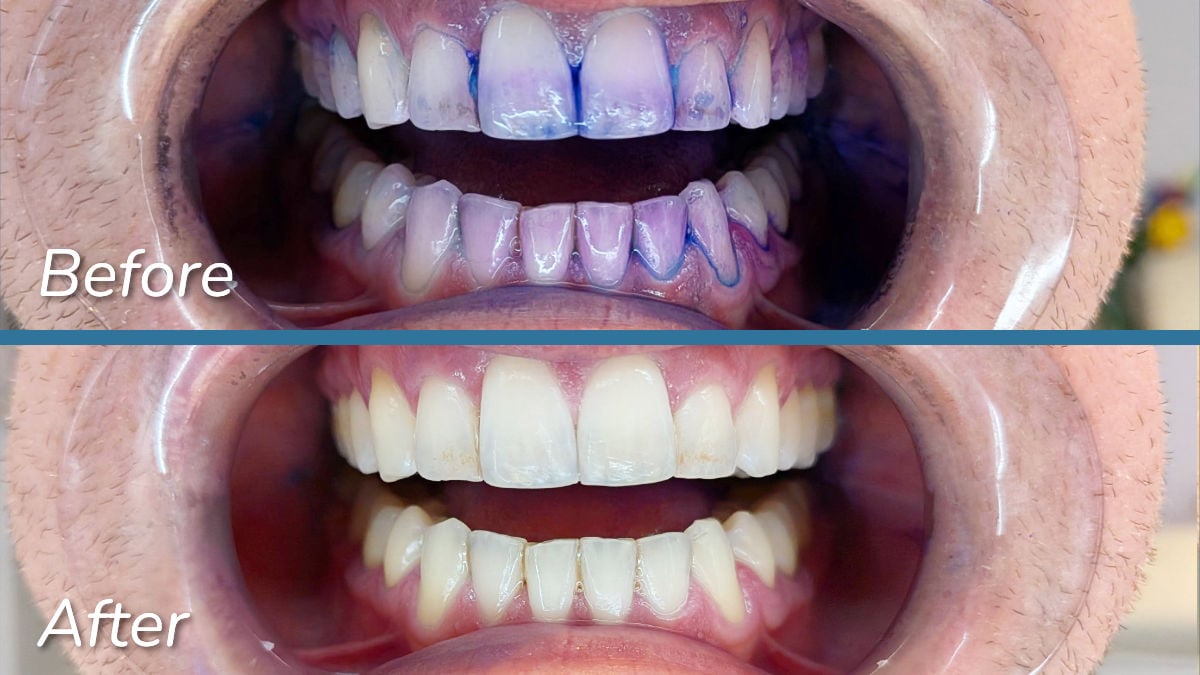
We explain these points in more detail later on, but before you make a choice, here are the key things you should know to avoid spending too much or too little.
Keep these in mind as you browse our recommendations and keep reading for more insights from our testing:
Editor's choice
We regard the three brushes below — SURI Pro 2.0, the Oral-B iO3 and the Sonicare 5100 Series — as Canada's best brushes for the majority of users.
They have the key features, but don't inflate the price with unnecessary extras. They do an excellent job of cleaning the teeth, provided they are used correctly.
SURI gets our Editor’s Choice recommendation because it has better environmental pledges than Oral-B and Sonicare, a better travel case and a premium feeling aluminium handle.
Do be aware that if you go for SURI, in Canada it does not currently come with mail return bags for used brush heads. SURI does have plans to introduce this in Canada, but at the moment the return scheme is for UK and USA only.
SURI Pro 2.0


Cleaning modes: 2 | Battery life: 38 days | Bluetooth: No | Noise: 58dB | Head cost: $8 | Cost to own - 3 yrs: $280
Who it's for:
Somebody looking for a good quality toothbrush with the essential features. The thoughtful design, sleek charging travel case and environmental pledges are an added bonus.
Why it's our main choice:
The SURI Pro 2.0 has been our Editor’s Choice for a year now and remains our main recommendation for 2027.
It’s simple, it cleans well and has thoughtful finishing touches. It also has a brush head take back scheme.
It’s easy to keep clean and doesn’t get mouldy.
More on why we chose it...
Part of SURI’s appeal is its no-fuss approach to toothbrushing. There’s no app, 2 perfectly adequate cleaning modes and a single brush head style. In a market crowded with feature-bloat and too much choice, this is a breath of fresh air.
It’s a brush that’s easy to keep clean and doesn’t need charging regularly. We’ve found the cleaning results to be just as good as brushes from major brands.
SURI has made simple design choices that work. The compact charging travel case (with USB C - not a proprietary connector like the main competitors) feels sturdy and charges the brush when connected to power. We’ve also enjoyed the reduced clutter in the bathroom thanks to the effortlessly simple magnetic wall mount.
The handle of the Pro 2.0 is made of metal, which gives it a premium look and feel compared to the plastic handles of other brands. We found its weight and shape balance nicely in our hands and give it a solid, well-built quality.
For many, the main appeal of SURI will be its better focus on environmental impact than its competitors. It’s designed to be easily repaired, albeit by SURI rather than the user. There is also a free postage scheme so that you can return used brush heads.
Pros |
Cons |
|---|---|

Premium design |

Force needed to activate pressure sensor |
|
Good value for money |
Brushing timer resets if brush is turned off |
|
Recycling scheme for brush heads |
No sensitive brush head option |

Best Oral-B
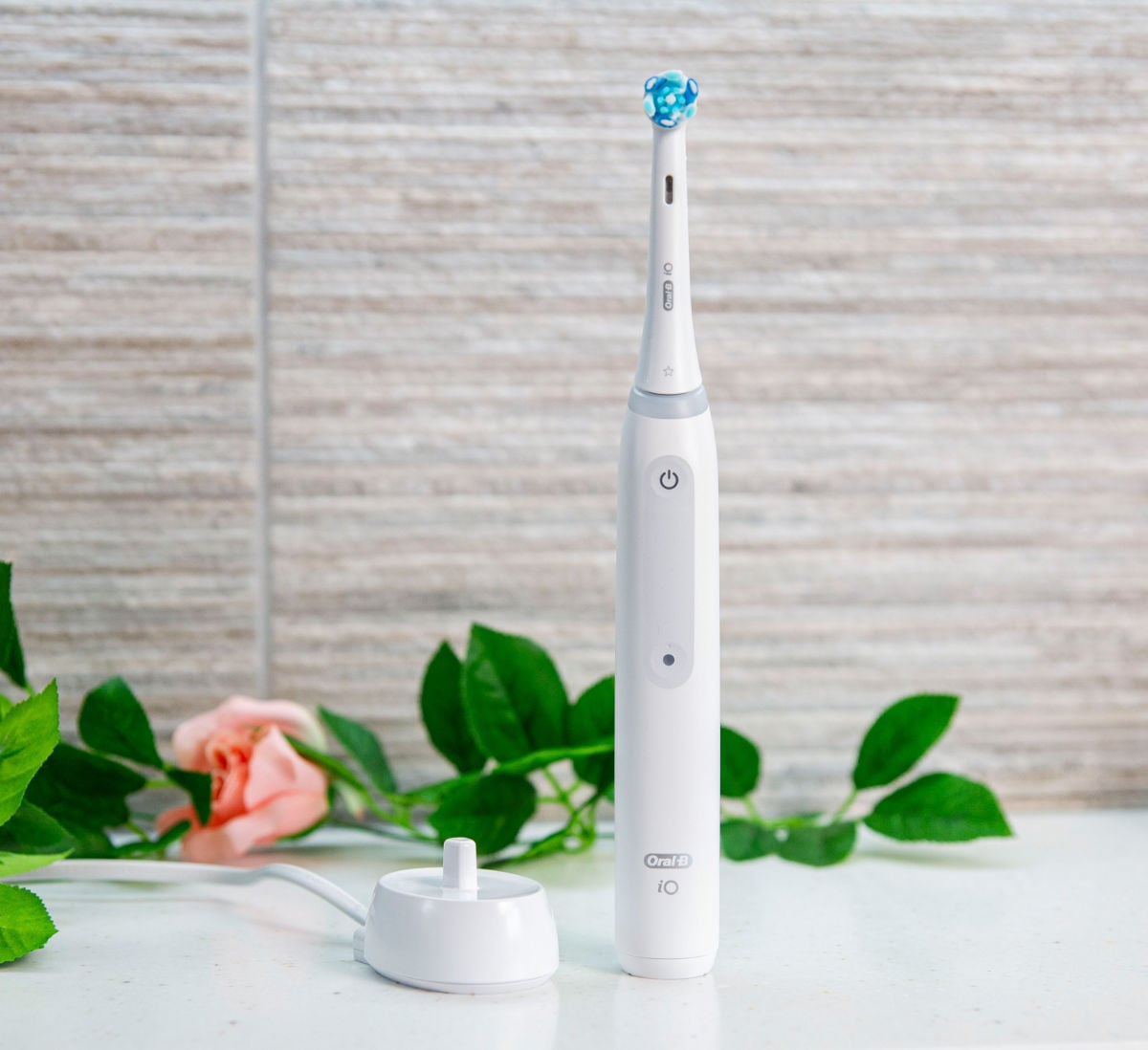
Oral-B iO3

Cleaning modes: 3 | Battery life: 17 days | Bluetooth: No | Noise: 64dB | Head cost: $15 | Cost to own - 3 yrs: $245
Who it's for:
Someone who wants a good value brush with an advanced pressure sensor
Why we picked it:
For us the iO3 has the best balance of price and features in the iO range. It includes the main features we recommend as well as an advanced pressure sensor and a more powerful motor. It doesn’t have the screen or smart features that push up the price of other models.
More on why we recommend it...
The iO range has Oral-B’s oscillating-rotating technology, but the brushes are quieter and the heads are larger than older Oral-B models. The handles feel more premium, too.
The iO3 is essentially the successor to the Smart 2000, which was our choice for the best electric toothbrush for several years.
The sound of the iO3 is notably quieter. It is a little less mechanical sounding and is roughly 14 decibels quieter. We recorded it at a maximum of 64dB during our testing.
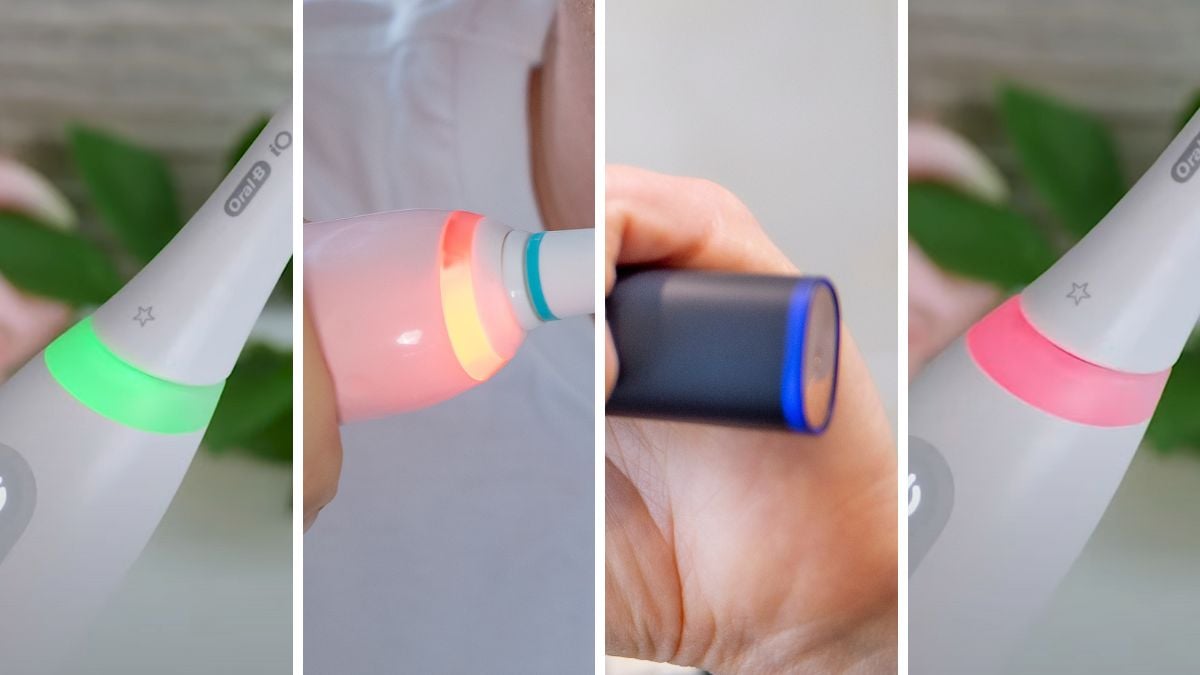
The pressure sensor has been improved to show different colours when applying insufficient, correct and excessive force. It makes it much easier to know, you’re brushing correctly. Many other brands only show when excessive force is used. A notable exception is the new 2026 version of the Sonicare Prestige 9900.
The main downside with iO models is that more attention is needed when cleaning them. The design of the brush head and the neck that it sits on means that gunk and mould can accumulate if not rinsed and dried thoroughly.
There is also no cleaning modes indicator. We didn’t find this to be a big issue during testing, but many have shared their frustration via comments on our site and YouTube channel. If you want this feature then consider SURI Pro 2.0 instead.
What we like |
Worth noting |
|---|---|
|
Quieter than older Oral-B brushes |
No icons on the handle to show which cleaning mode is selected |
|
Reminds you when to replace the brush head |
Requires iO specific heads which are more expensive |
|
Good balance of price vs features |
Needs extra attention to keep clean |
Best Sonicare
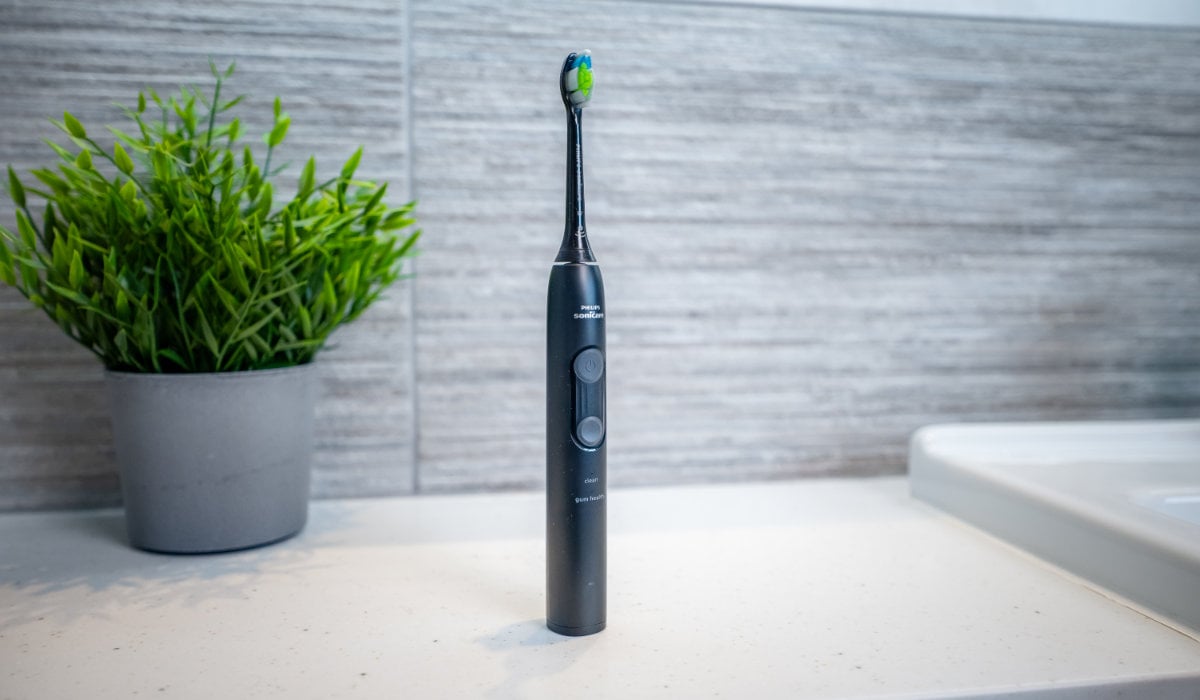
Sonicare 5100 Series

Cleaning modes: 2 + 2 intensities each | Battery life: 50 days | Bluetooth: No | Noise: 63dB | Head cost: $13 | Cost to own - 3 yrs: $210
Who it's for:
Someone who wants a reliable brush with dentist-recommended features (a timer, a pacer and a pressure sensor) for a fair price.
Why we recommend it:
The Sonicare 5100 is a quiet brush with good cleaning results at an affordable price. It includes a travel case.
It was released in 2026 as part of Sonicare's new range of brushes and achieves the best battery life we've seen in an electric toothbrush from a major brand.
More on why we chose it...
The 5100 Series offers 2 cleaning modes with low and high power settings, so 4 configurations overall. This much choice is arguably more than you need, but it does make it a good option if you suffer from receding gums or sensitive teeth because you can find the intensity that most suits you.
If your sensitivity was caused by brushing too hard, the pressure sensor in the 5100 will alert you if you fall back into old habits. It is configured differently to Oral-B brushes — the handle vibrates rather than activating a light. It’s more noticeable and more useful if you are blind or partially sighted.
During testing, we did find the pressure sensor on the 5100 required about 10% to 20% less force to activate than that of SURI Pro 2.0, so if the pressure sensor is particularly important to you, give this extra consideration.
Like SURI Pro 2.0 and the iO3, the 5100 is a quiet brush. During testing, we could hear music clearly or hear someone talking.
In terms of design, the handle is pleasant to hold, although it's worth pointing out that it is on the thicker side to accommodate the larger battery. It's a minor detail but something to be aware of if you prefer a slimmer handle. It does make it easier to grip if you have dexterity issues.
The charging stand is plugged in via USB. This was convenient for us because we already had other gadgets that charge in this way, but it does mean that the brush can't be charged in the bathroom unless you purchase a special adapter
What we like |
Worth noting |
|---|---|
|
Outstanding battery life |
No indicator lights to show which intensity is selected |
|
4 intensity configurations – good if you have sensitivity |
USB charger prevents bathroom charging |
Best technology
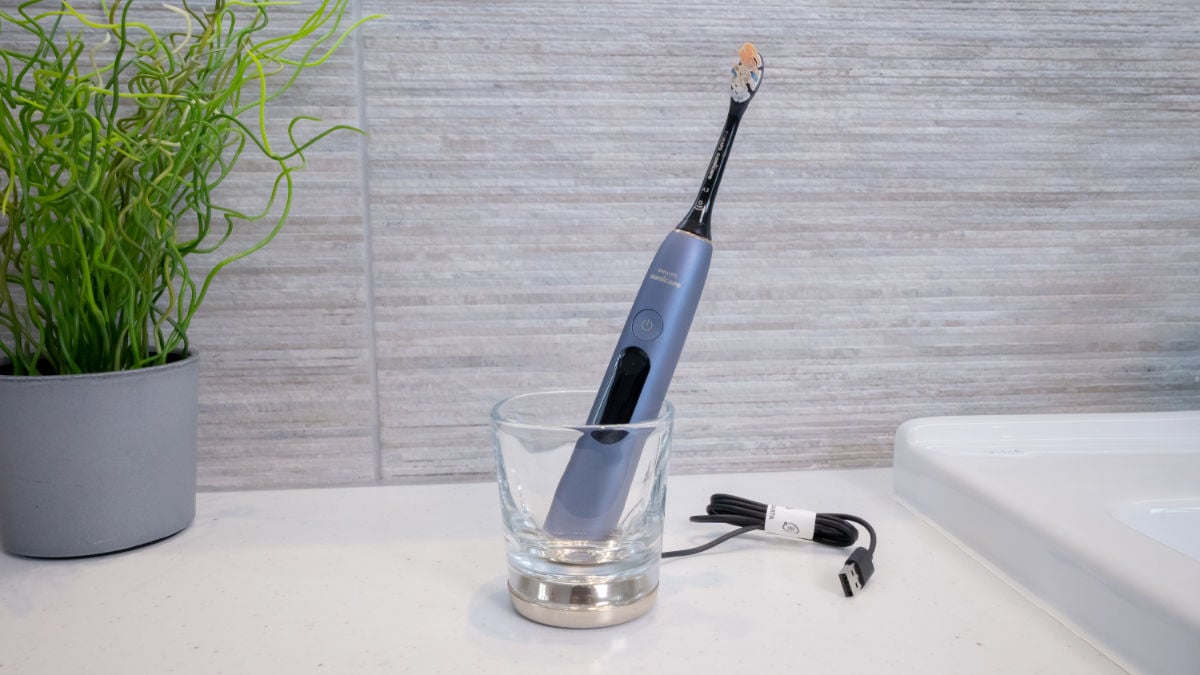
Sonicare 9900 Prestige

Cleaning modes: 8 + 3 intensities each | Battery life: 18 days | Bluetooth: Yes | Noise: 55dB | Head cost: $13 | Cost to own - 3 yrs: $630
Who it's for:
Someone who wants feedback on how well they brush built into their toothbrush.
A fantastic brush, but more than you need:
The technology included for brush tracking and feedback on technique has been improved from the previous model of the Prestige. It’s the best smart toothbrush we’ve used.
More on why we chose it...
We’ve long taken the stance that a smart toothbrush has more technology than the average person needs. You don’t need a smart toothbrush. You can clean your teeth just as well with the less expensive models that we recommend.
But, if you do want the best technology available, the Prestige 9900 NEXT-GEN is the brush to go for. Just be aware that whilst the tech helps get the best cleaning results, you still need to do a lot of the work. It’s not the golden ticket to clean and healthy teeth.
It now features a built-in display that shows you feedback at the end of the brushing session. Unlike with its predecessor, you no longer need to use the app to access this feedback (or change cleaning mode) — it’s right there in the handle.
We found the tracking to be slightly unreliable at times, but it’s definitely useful if you are looking for real-time feedback. It shows you how well you’ve covered the areas of the mouth, how much pressure you’re using, or whether you’re scrubbing your teeth in a way that’s harmful.
The light ring at the bottom of the handle changes color to show your brushing coverage, as well as whether you are brushing with the correct amount of pressure or not.
Another complaint we had is that the charging travel case now uses a proprietary cable rather than USB-C. This is a downgrade (but not a dealbreaker) compared to the old version because it means you need to carry an extra cable when travelling.
What we like |
Worth noting |
|---|---|
|
The best smart tech available |
Expensive |
|
Visible pressure sensor |
Smart tracking can be unreliable at times |
|
Feels nice to use |
No USB-C for charging travel case |
Best budget
Sonicare 1100 Series


Cleaning modes: 1 | Battery life: 17 days | Bluetooth: No | Noise: 57dB | Head cost: $13 | Cost to own - 3 yrs: $166
The 1100 is Sonicare’s budget option. The main trade-off with this brush is that it has no pressure sensor at all. This means you won’t find out if you’re brushing too hard, which can damage your teeth and gums and cause sensitivity issues.
It also has a less powerful motor than Sonicare’s other brushes, but it will still clean your teeth well if used correctly.
If you can, it’s worth stretching to our recommendation for the best Sonicare brush, the 5100 Series. It costs a little more to buy initially, but it uses the same brush heads so there are no additional costs to add on after that.
Oral-B Pro 1000

Cleaning modes: 3 | Battery life: 10 days | Bluetooth: No | Noise: 73dB | Head cost: $8 | Cost to own - 3 yrs: $148
The Pro 1000 is a sturdy brush that cleans your teeth well. It still features a pressure sensor, but it’s not a visible alert like on other Oral-B brushes and is easy to miss.
Compared to our main recommendations it’s noisier and has a shorter battery life. It doesn’t include a travel case either. These are things that can be overlooked if you’re on a tight budget.
The upside is that the replacement brush heads are cheaper than the newer Oral-B iO range, meaning it costs less over the lifetime of the brush.
What about the Dyson CameraJet?
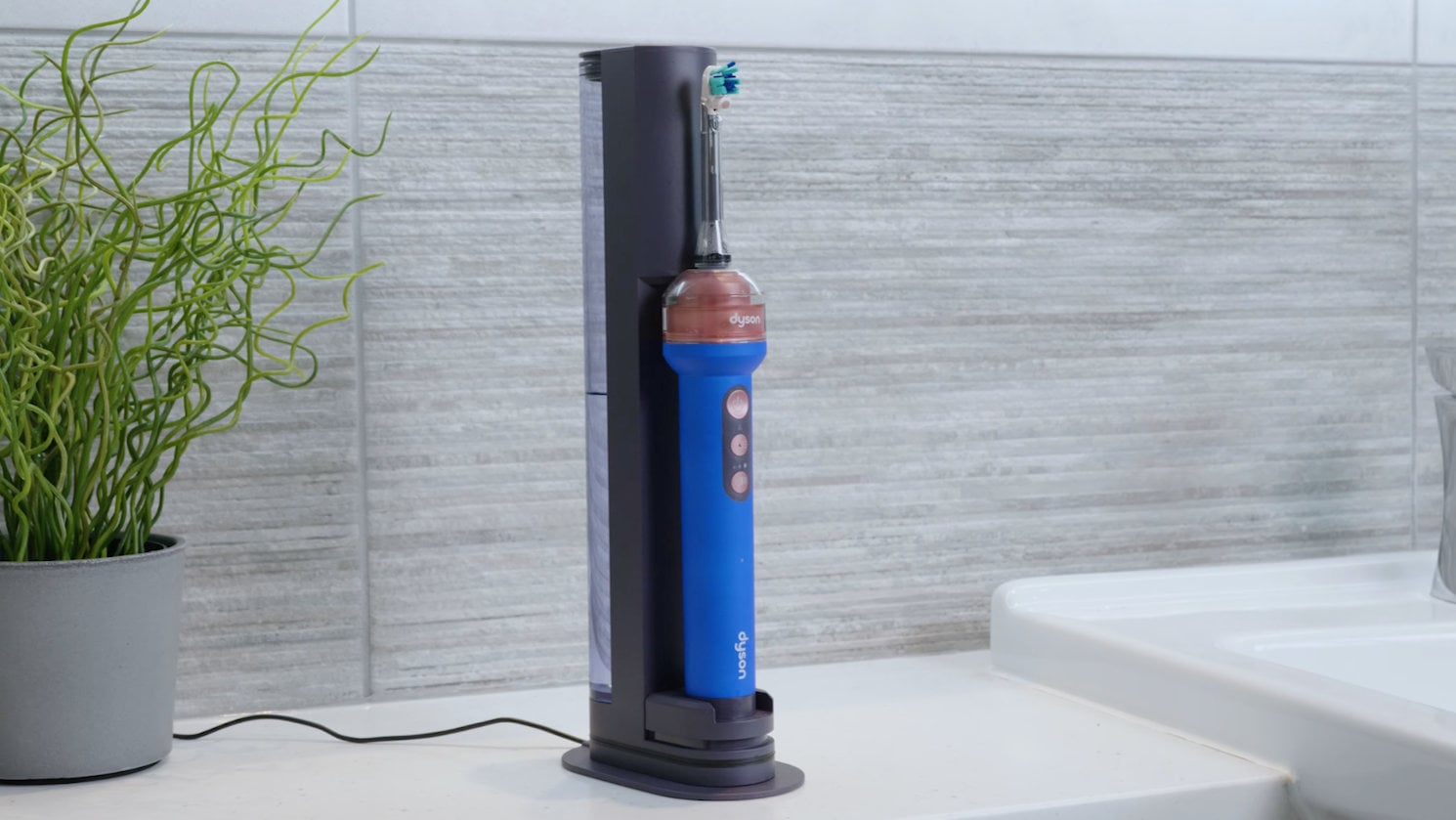
Arguably the most talked about toothbrush launch of 2026 was the Dyson CameraJet. We had long anticipated its release having seen patents for it a decade ago.
Despite the fanfare, it has not made it into our list of recommendations.
The toothbrushing component works well enough, but we found the flossing technology left a lot to be desired.
A few days after launch Dyson had to halt sales due to reports of users receiving faulty units. Ours did not fail catastrophically, but one of the brush head attachments cracked after a few uses. The handle also felt like it was getting hotter than it should.
We will continue to test it going into 2027, but you can watch our initial video review here.
Some people will buy it purely out of curiosity, but our advice is that you could do a lot better and save money by going for one of our toothbrush recommendations above and one from our best water flosser article.
Video summary
The video below runs through our main recommendations and key advice when choosing an electric toothbrush.
Please note: the video includes our recommendations for 2026. Our new video for 2027 will be coming shortly. Whilst many recommendations have remained the same, we have u

Buyer's guide: useful tips from years of toothbrush testing
In the following sections we've included things we've picked up from reviewing the full spectrum of electric toothbrushes over the last decade.
We cover the features we think are the most important to pay for, as well as others that are worth considering but not critical for the majority of users. We also give some advice on how much to spend.
Key considerations
A pressure sensor, a timer and a pacer are the features worth paying for
These three features help to make sure you brush correctly and for the right amount of time. Generally, you can get a good brush with these features for around $60-100. They are particularly useful if you're a first time toothbrush user, or if you know you brush your teeth too hard.
In the section below we have included an overview of why they're important, and here are our main recommendations at a glance:
Most advanced pressure sensor: iO range (iO3 is the cheapest) / Ebay, Amazon / ~$79.99
Good value for money, vibrating pressure sensor: Sonicare 5100 Series / Amazon / ~$79.95
How pressure sensors vary (and why they’re important)
Brushing too hard can damage your teeth and gums. A pressure sensor helps prevent this. Consequently, it's a key feature recommended by our in-house dentists.
If you know that you brush too hard, or if you’ve never used a toothbrush with a pressure sensor, it’s a feature worth strong consideration.
Keep reading
Sensors are implemented differently. In many instances when pressure is detected, the motor will slow down until the pressure is relieved. This limits the bristle movement and potential damage.
A visible pressure sensor will illuminate to act as a visual alert. This is common in Oral-B brushes. Normally, a red light illuminates around the neck of the toothbrush.
Some models, notably Sonicare, will vibrate the brush handle to alert you.
If you tend to brush your teeth in front of a mirror, you will likely find the visible pressure sensor (one that lights up when you apply too much pressure) easier to take note of.
However, if you tend to get a bit distracted as you brush, don’t brush in front of a mirror or are visually impaired, the beeping or vibration patterns generated by some pressure sensors (notably Sonicare) are better.
With the exception of the Sonicare DiamondClean 9900 Prestige, most brushes do one or the other, not both.
The Oral-B iO range features a more advanced pressure sensor. It indicates when you’re brushing too hard, but also when you are applying the correct or insufficient amount of pressure. We did find this to be reassuring, but it’s something you could skip if you’re on a tight budget. The main thing is that you don’t brush too hard.
Most brushes have a timer and a pacer
For 2 minutes twice a day is how long you should spend brushing your teeth according to the likes of the Canadian Dental Association and the World Dental Federation. It’s the optimum time for effective plaque removal.
A timer lets you know when you’ve brushed for this long, whilst a pacer encourages even brushing of the teeth.
All of the brushes we've recommended above have a timer and pacer included. The only exceptions are the Pro Battery which has no timer or pacer, and the Vitality which has a timer but no pacer.
These are features that are really useful and we've found that the way they work tends not to vary much from one product to another. Don’t worry too much about these when choosing a brush. The main thing is to make sure your brush does include them, if your budget can stretch that far. There can be some nuance to them, which we explain in the toggle sections below.
Find out more about timers
The vast majority of brushes automatically turn off after 2 minutes. This might be annoying if you're someone who likes to brush for longer than that.
Oral-B brushes don’t tend to turn off, that’s for you to do when you’re ready to finish brushing. It will pause briefly 3 times at 2 minutes to alert you that the recommended time has been achieved.
Find out more about pacers
Most pacers work by pausing the brush motor at 30 second intervals. The pause in the sound and motion of the toothbrush is your cue to move from one quadrant of the mouth to another. Some brushes (notably Sonicare) have a pacer set to 20 second intervals. This results in 6 sections of the mouth for you to brush.
We've tested hundreds of different brushes over the years and we've never found the implementation of the pacer to make that much difference to how well we brush.
The bottom line is that a pacer is useful to have, especially as you develop your own rhythm to brushing with an electric toothbrush, but precisely how the pacer is implemented doesn't matter too much.
We’ve heard from some users how they dislike a pacer and prefer to brush at their own pace. Unfortunately, few brushes allow the pacer to be disabled. Some brushes, normally the ‘smart’ ones such as the Oral-B iO and Genius models, offer some customization around timings.
Some brushes are easier than others to keep clean
It’s important to keep your brush clean. The last thing you want is to be putting unwanted bacteria into your mouth.
We’ve found that a quick rinse after each brushing session and then leaving the brush to air dry is typically the best approach. UV lights and sterilizing processes can help but are not essential or as recommended as you might think.
During our long-term testing of brushes, we have found that grime can build up more easily on some than on others — we've included some examples in the next section. If you’re often in a rush when you brush your teeth, it’s a good idea to have a brush that’s simple to clean.
From those we’ve recommended above, the easiest to keep clean are: SURI, Sonicare 5100, 9900 Prestige and Philips One.
Some brushes collect grime easily
We’ve found the Oral-B iO series to be one of the worst offenders for grime build up. That’s not to say it can’t be kept grime free — it can — but it takes more effort than other brushes that just need a quick rinse under the tap.
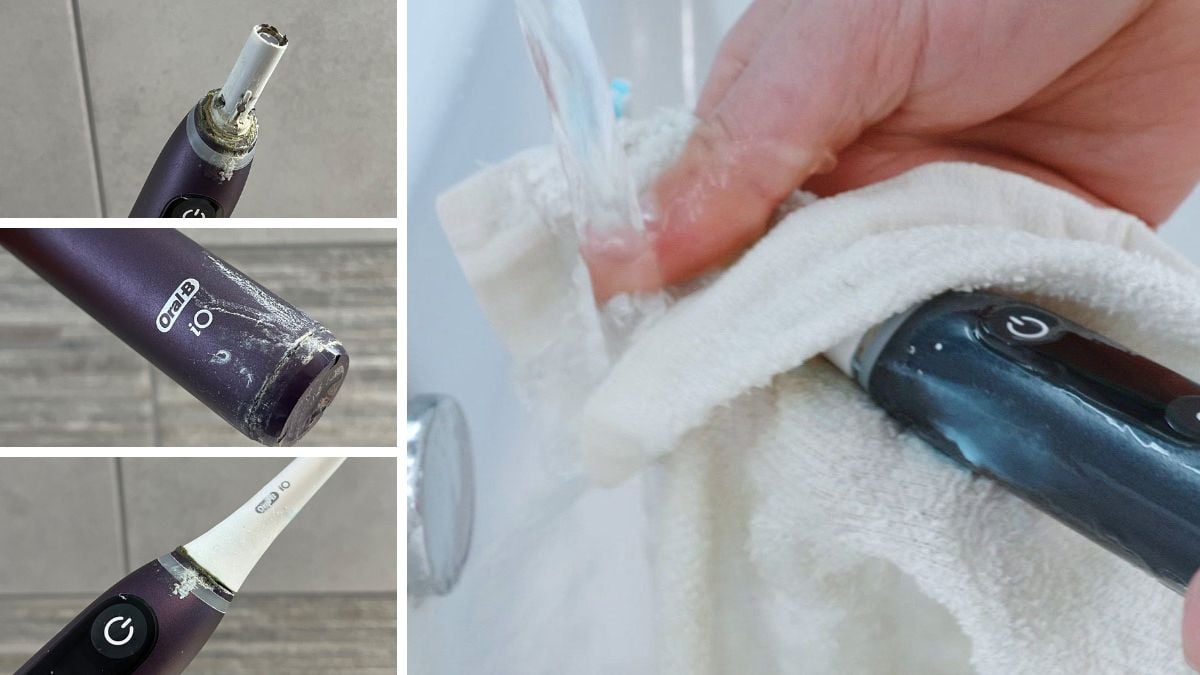
The design of the iO motor and heads makes it easier for muck and mold to build up within the neck where the brush head attaches. Even with thorough rinsing after each clean, we still find that grime tends to build up after a few weeks. We’ve found the most practical way to remove it is with a used interdental brush.
Brushes with large textured rubber grips do tend to be worse for dirt build-up than the smooth, all plastic handles of some brushes — examples here are the Vitality and Genius models from Oral-B. Residual toothpaste and gunk dries to leave white streaks. Cleaning from the textured surface can be much harder, particularly if you don’t keep on top of it. We advise prioritizing grip and comfort over ease of cleaning, though.
Battery life isn’t that important
Unless you are away from mains power frequently, don’t worry about battery life. The majority of rechargeable brushes last 3-4 weeks or longer on a full charge.
We’ve found Oral-B’s battery life to be the worst of the major brands. Expect 2 weeks on average, including from premium models. We’ve seen first hand how iO models with displays can suffer from excessive battery drain and give just 10-12 days use on average.
An overnight charge is sufficient for most brushes, but some can take as much as 24 hours if completely flat.
| Modal |
|---|
| SURI Pro 2.0 |
| Philips Sonicare DiamondClean 9900 Prestige (Next-Generation 2026 Edition) |
| Oral-B iO Series 3 (iO3) |
| Philips Sonicare 5100 Series |
| Oral-B Vitality |
| Oral-B iO Series 9 Genius (iO9) |
| Claimed battery life | Actual battery life |
|---|---|
| 30+ (plus) days | 38 days |
| 14 days | 18 days |
| 14 days | 17 days |
| 21 days | 50 days |
| 5 days | 5 days |
| 14 days | 14 days |
For most people noise isn’t an important factor, but some brushes are significantly quieter
For each brush we review, we use a decibel meter to take a reading of its noise level. So far we’ve found the range sits from 48 db to over 80 db, which is quite a variation.
Noise may be an important consideration if you’ve got young children that you don’t want to disturb, or light sleepers in the house who won’t appreciate the sound of a noisy motor.
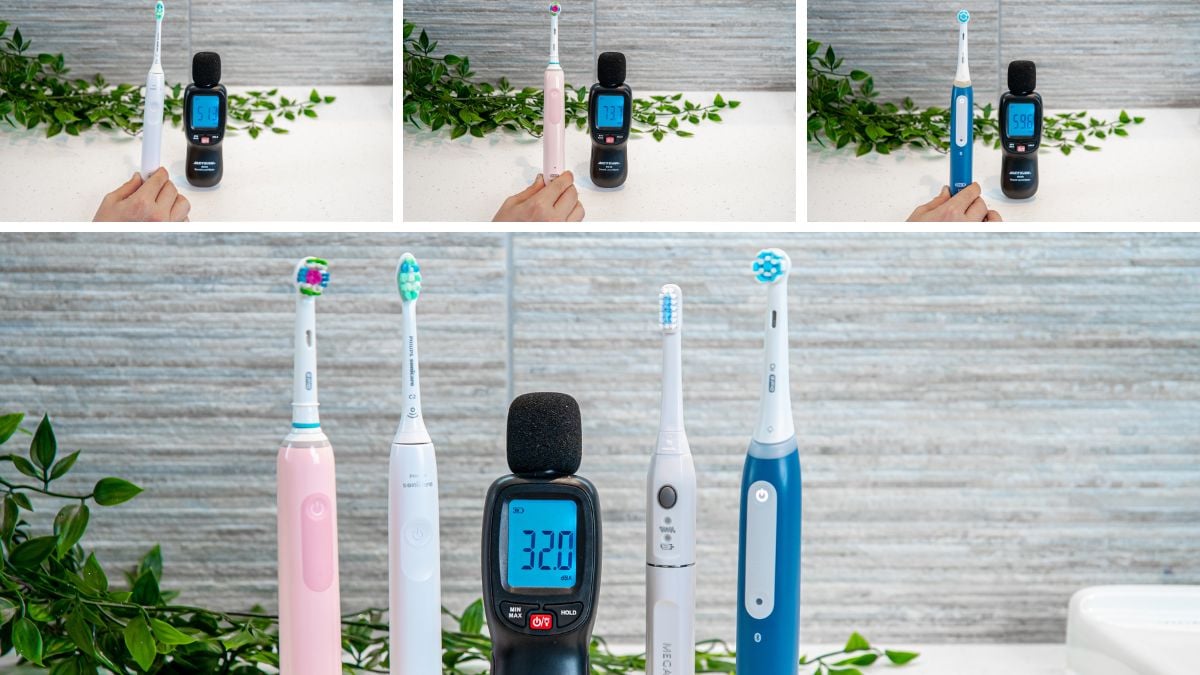
That being said, noise isn’t the biggest consideration for an electric toothbrush. Even with the noisiest brushes, we’ve found that a closed bathroom door drowns out most of the sound. But if you have thin walls or do have a need to be very quiet, it’s a worthwhile consideration.
In the table below we've ranked a selection of toothbrushes from quietest to loudest. The winner so far is the Oclean X Pro Elite. From our list above, SURI is also particularly quiet.
| Modal |
|---|
| Oclean X Pro Elite |
| Philips Sonicare DiamondClean 9900 Prestige (Next-Generation 2026 Edition) |
| Philips Sonicare 1100 Series |
| SURI Pro 2.0 |
| Philips Sonicare 5100 Series |
| Oral-B iO Series 3 (iO3) |
| Oral-B iO Series 9 Genius (iO9) |
| Noise |
|---|
| 45dB - Came in at approx 48dB in hands on testing |
| 55dB |
| 57dB |
| 58dB |
| 63dB |
| 64dB |
| 72dB |
You can get a good brush for less than $100 — spending more doesn't mean cleaner or whiter teeth
We’ve tested brushes that cost as little as $20 and as much as $500. Truthfully, you don’t need to spend more than $100 to get a reliable brush with the most important features.
The key features our in-house dentists recommend are a pressure sensor, a timer, and a pacer. Generally, you can get these from around $60 to $80. Many of the brushes we’ve tested in this price range are more than adequate.
Spending more money on a toothbrush may provide things like travel cases and better battery life, but these aren’t going to actually help brush your teeth better.
Don’t go too cheap, though
Based on the above advice you may be tempted to spend as little as possible. We would caution against this because we have noticed there are reliability issues with cheap brands.
And whilst you can get by without a pressure sensor, timer and pacer, ideally your brush should include them because they help you to brush properly and for the right amount of time.
If you want a quick reliable recommendation that gets the job done, check out the Oral-B Pro 1000.
We don’t recommend smart toothbrushes for the average user
We’ve been testing smart (Bluetooth enabled) toothbrushes since they first launched around 2016.
Whilst we’ve found that the technology in the latest models like the Oral-B iO Series 10 and the Sonicare Prestige 9900 does work very well, it is overkill for the average user.
We generally don’t recommend them. You don’t need the tech to be able to clean your teeth well — plaque disclosing tablets work just as well — and to get the most from them you often need to have your phone with you when you brush.
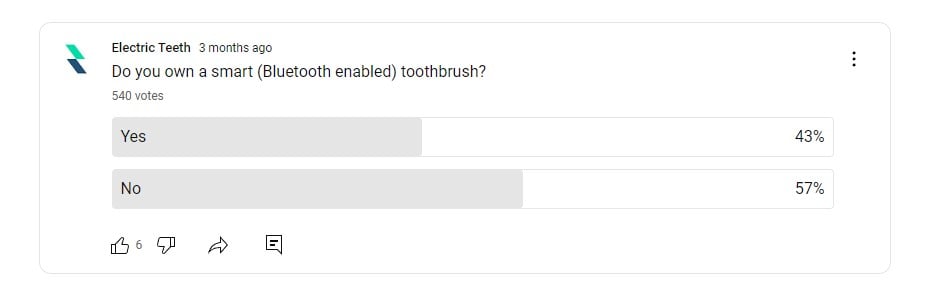
A survey of our YouTube audience found that 57% had a smart toothbrush, yet 69% don’t use the features after 3 months.
Apart from the ‘smart’ technology, these brushes often come with additional cleaning modes and a travel case.
In our experience, there is little difference between most cleaning modes. Having a sensitive mode is useful, but this is included with far cheaper brushes.
A travel case can also be a good addition, but again, you don’t need to spend $300 to get one. We rate SURI as having the best travel case and that is far cheaper than a smart toothbrush.
Unless you are willing to spend the time and effort using the brush tracking technology that a smart brush offers, save yourself some money and go for a cheaper model.
Brush head styles aren’t that important, but do affect cost
Brush head ranges are unnecessarily complicated. There is no definitive evidence to say one head is better than another. Studies will claim to have found important differences between them, but this is always in comparison to a manual brush. We’re yet to see 2 Oral-B heads compared to one another in a clinical study.
We’ve tested the full range of brush heads from Oral-B, Sonicare and Colgate and found little to separate them. We’ve also tested generic heads, which are cheaper but still of an acceptable standard.
Sonicare’s premium heads have a silicone backing to them, which feels noticeably softer on the cheeks and reduces that harsh irritating sound if they come into contact with the teeth. But, we find it difficult to justify the price increase when normal heads work just fine.
The main thing you do want to watch out for if you’re buying generic heads is that you don’t get cheap counterfeits as they won’t do as good a job.
Sonic brush heads tend to be larger than the small circular brush heads found on Oral-B’s oscillating-rotating toothbrushes. Sonic heads have an oval shape to them.
We have found that Oral-B’s heads can sometimes make it easier to reach right behind the back molars and other tight spaces because their necks have a shorter length. This isn’t a factor worth giving too much importance to unless you have a particularly small mouth.
As a side note, if you are finding it difficult to reach certain parts of the mouth, it’s better to brush with your mouth almost closed. Having your mouth open extends your jaw and can make it harder to reach certain areas.
The brush you choose will affect how much you spend on brush heads
Pay attention to this because it could save you $100 over the lifetime of your brush.
If you’re buying official heads for a well-known brand, Oral-B heads for non-iO brushes (Vitality, Pro, Genius Series models) tend to be the cheapest.
Oral-B iO brush heads are almost twice the price of other Oral-B heads. The cleaning results are not twice as good. As it stands there aren’t many generic options available as an alternative for iO models. Those that do exist cost considerably less. You can get as many as 6 generic heads for the price of 1 iO Series manufacturer original. Sonicare brush heads tend to be more expensive than Oral-B, but there are good generic options available to bring the price down.

Try to buy heads where the bristle tips are rounded or smoothed off, like the manufacturer’s own. We found that cheaper generic heads often have ‘rough cut’ bristles. They still clean well but can be a bit more abrasive on the teeth and gums.
You can save money if you buy an electric toothbrush and heads from a lesser-known brand, but the caveat to this is reliability issues.
A word of caution though: sometimes there is such a thing as too cheap. We’ve read and heard stories of brush heads cracking, falling apart and bristles falling out as people use them.
Soft brush heads and sensitive cleaning mode are good if you have sensitive teeth or receding gums
Generally speaking, we haven’t found that cleaning modes and brush head styles make much difference to brushing experience. A standard cleaning mode and brush head do the job just fine. The exceptions, though, are soft brush heads and sensitive cleaning modes.
We have at times found it useful to switch to a soft head or cleaning mode during times of tooth or gum sensitivity. If you have sensitive teeth or gums, or some form of gum disease, these are particularly useful features.
Even if you don’t have sensitive teeth and gums, a sensitive cleaning mode or soft brush head can help to ease you into a new brush. This was the case for one of our team when we started testing the Oral-B iO range. The cleaning action of the brush felt more intense than previous Oral-B models, so we used the sensitive mode for the first week or so to get used to it.
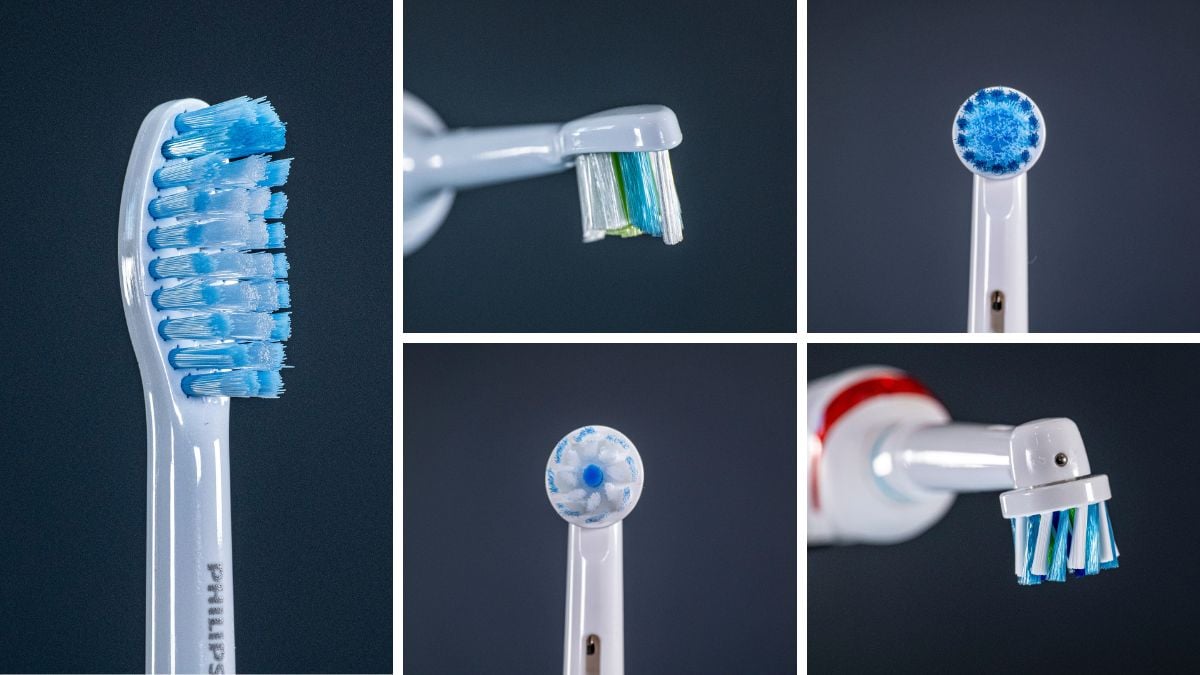
Oral-B and Sonicare both make soft brush heads for their full range of brushes, so this is something that you can add on afterwards if needed. Many brushes do come with a sensitive mode, but you’ll want to double check your prospective brush has it if it’s a feature you think you’ll benefit from. We’ve found the feeling of gentle cleaning modes doesn’t vary much from one manufacturer to another, so you don’t need to scrutinize this too much.
There is some variation in the way that gentle / sensitive modes are named. Some manufacturers instead refer to them as ‘intensity’ settings. A high and a low intensity settings are usually comparable to standard clean and sensitive mode.
Oral-B
For receding gums or sensitive teeth, I recommend you try the Pro GumCare head for an Oral-B brush.

We have a post on the best Oral-B brush heads that explains the range in detail.
Sonicare (BrushSync)
For Sonicare BrushSync brushes try the G2 Optimal Gum Care head. It is BrushSync heads that have Sonicare's reminder technology built in. They are more expensive than the non-BrushSync heads.

Sonicare (non-BrushSync)
For non-BrushSync brushes try the S Sensitive head. It's worth noting that these are also compatible with BrushSync heads.

We have a guide on the best Sonicare brush heads that goes into more detail about the various option
Some brushes are now charged via USB
The set up of your bathroom and the brush you choose will dictate how convenient it is to charge it.
Most toothbrushes are charged via a 2-pin charger.
Some newer brushes are charged via USB only, which rules out the opportunity to charge them in your bathroom, unless you have a 2 pin USB adapter. This may or may not be an inconvenience for you.
The Sonicare 1100, 2100, 3100 and 4100 and 5100 are examples of this. They do fit and charge on the older style Sonicare charging stands too, so if you prefer your existing Sonicare charging stand, you can still make use of it.
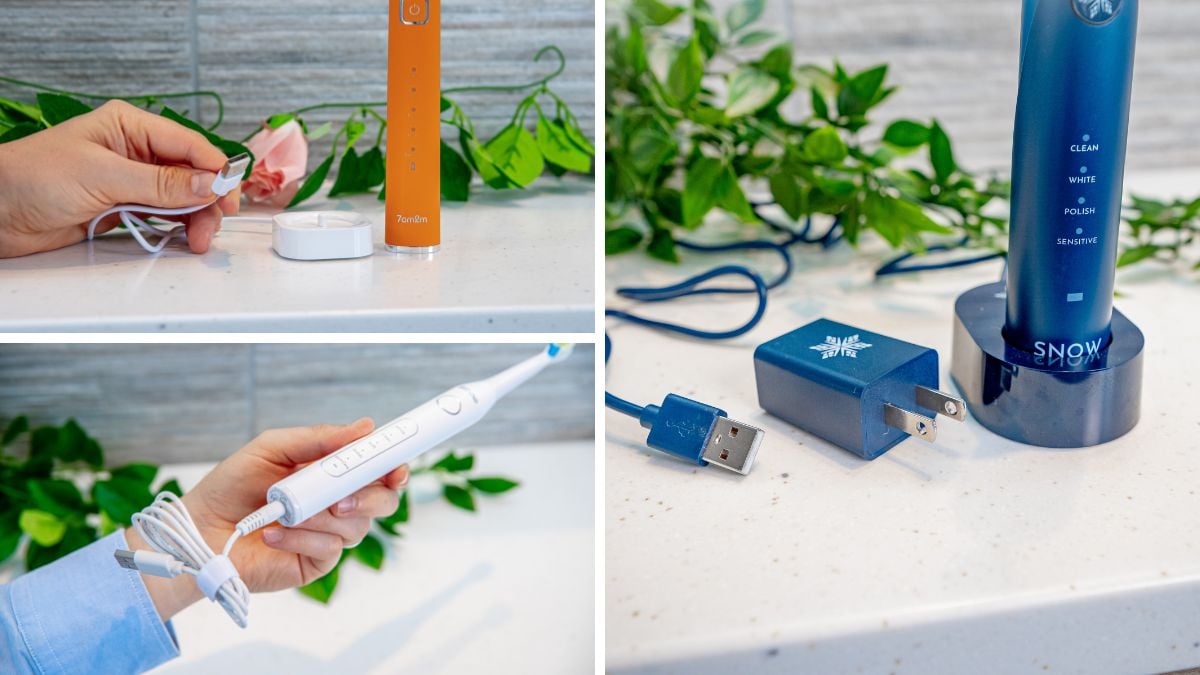
Some brushes can be charged in the travel case they are supplied with, which can add another option and more flexibility. SURI, as an example, is charged via USB Type-C. It can be charged within its case, using the same cable that charges many Android phones and the latest iPhone 15. We’ve found this to be a convenient way to charge the brush, especially as it only needs charging every few weeks.
A travel case is a useful accessory
In our experience the most useful extras to be supplied with a toothbrush are additional heads and a travel case.
Brush head stands and storage compartments can be convenient if you share a toothbrush with others, but are far from essential.
You don’t need to be a regular traveller to benefit from a case. Even if you occasionally go away for a night or two, a case protects the bristles from damage and dirt. Not to mention preventing other things in your wash bag from getting wet. It can also prevent that awkward buzzing sound in your luggage as you pass through customs!
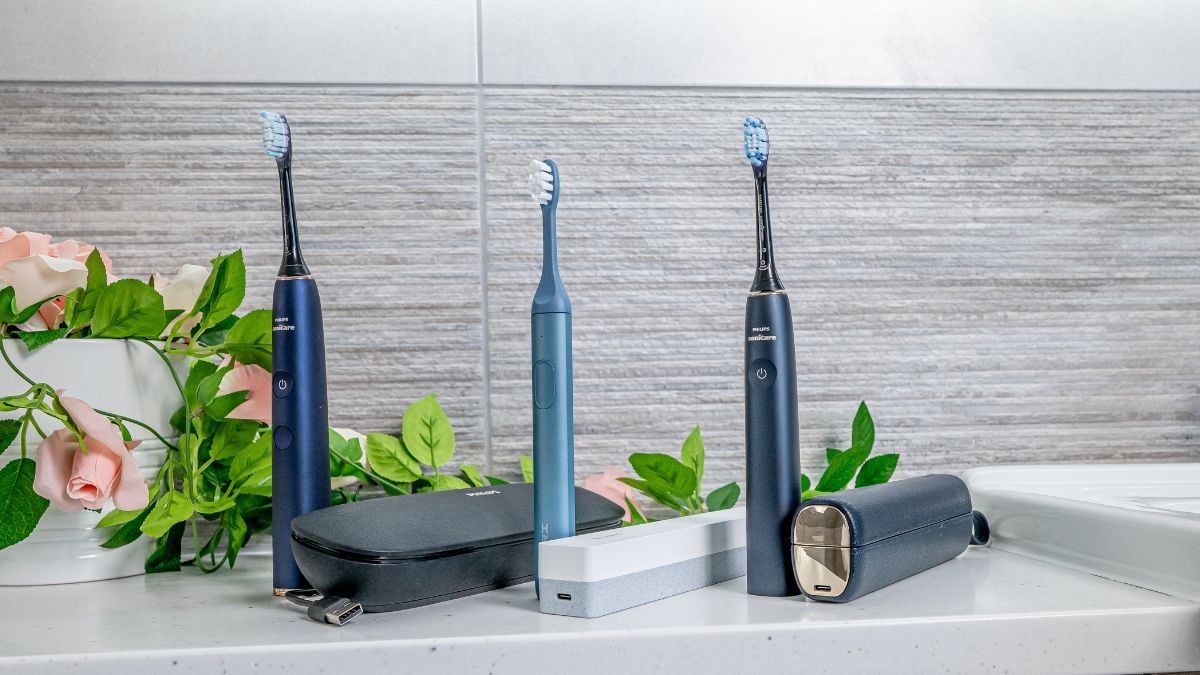
It’s well worth spending an extra $5-10 if you can afford it to get a case included. It’s harder to buy official cases afterwards. Third party cases serve a purpose but tend not to be as good.
Jon found a travel case useful during his recent Invisalign treatment. He was having to brush more regularly, often away from home, and having a case made things more convenient.
For those always on the go, charging travel cases are great. SURI’s is particularly slim and uses the same charger as most phones. Oral-B’s charging case is less convenient as it requires a bulky proprietary power adapter.
Things to consider if you’ve got dexterity issues
The majority of toothbrushes have a clean and minimal look with minimal textured surfaces for gripping onto.
Oral-B’s Smart and Genius models use different materials and textures to aid with grip. Although slimmer, the Philips One has a really textured handle, which makes it easy to grip. The Hydrosonic Pro from Curaprox is all smooth plastic, but the squarer design really helps with grip.
Aftermarket add-ons do exist but none are particularly pretty and do look like an add-on.
The vast majority of brush heads are pushed onto a brush handle to attach and pulled off to remove. Few require twisting or locking into place. You don’t typically need lots of force to attach or remove them.
We’ve found that SURI brush heads are some of the tightest fitting and can at times require an extra firm grasp to pull them off. This might be tricky if you struggle to grip or have limited strength in your joints.
Power buttons are something to consider too. Colgate’s Smart Hum and Hum Rhythm are 2 examples that we've found to have firmer buttons than other brushes and make for a less enjoyable user experience.
Many brands have money back guarantees, so you can buy online, try and return if they don’t work for you.



I just bought a new Oral-B ProNet brush today. How does one open the end to insert the batteries?
I am not able to open it and if I cannot get it open, I will be returning it.
Thank-you for any guidance you can provide.
Hi Sharon.
I am not familiar with this model, but I suspect it is what I know as the Oral-B Pro Expert - and it opens & closes as per this video.